> ## Documentation Index
> Fetch the complete documentation index at: https://paragraph.com/docs/llms.txt
> Use this file to discover all available pages before exploring further.
# Recommendations
> Team up with other writers to expand your reach and support each other’s work.
Recommendations are a powerful way to collaborate with other writers on Paragraph and grow together. It’s a trusted, word-of-mouth way to expand your audience while supporting writers you believe in.
***
## **How It Works**
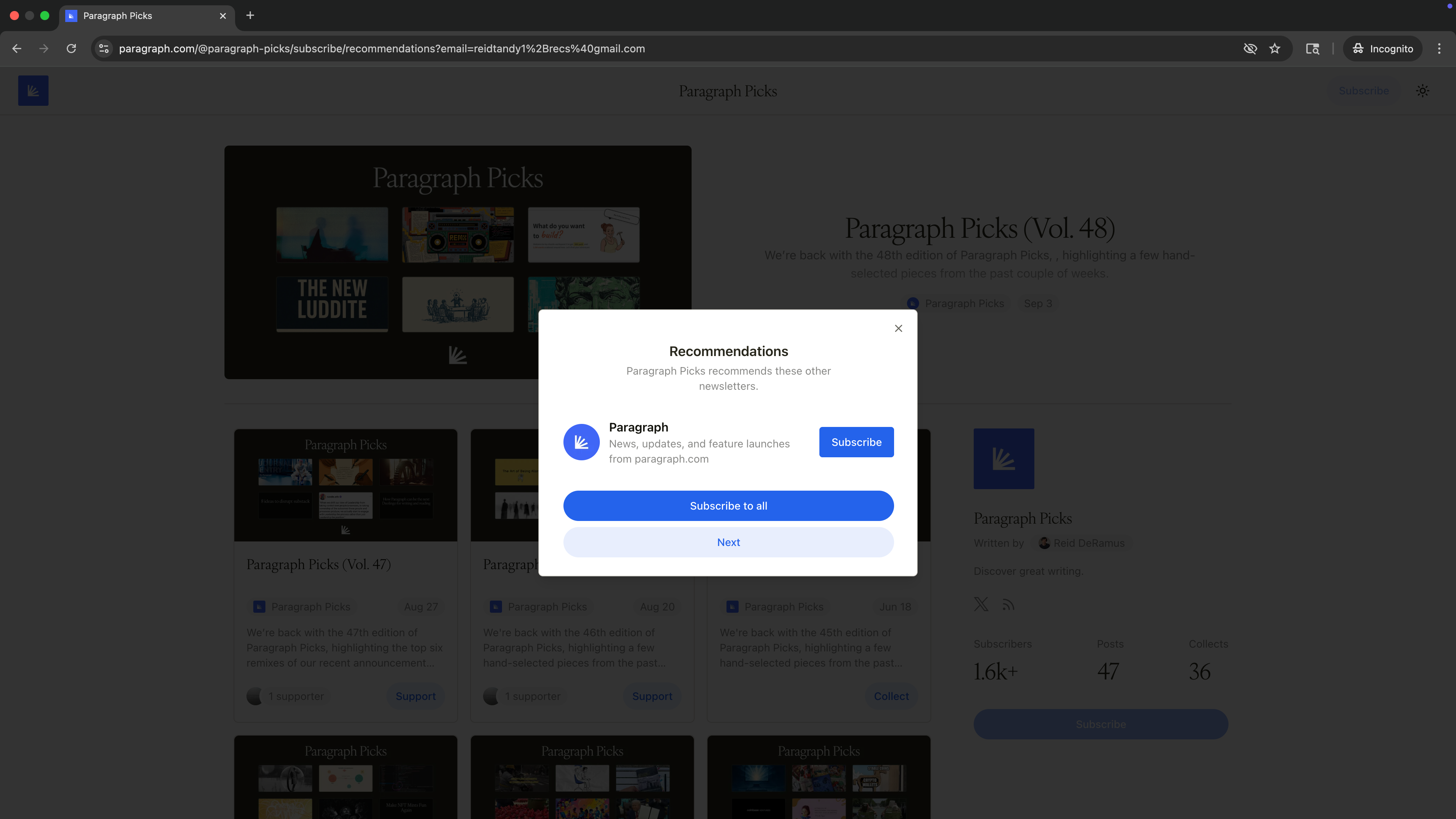
Right after someone subscribes to your publication, they’ll be shown the list of publications you recommend with the option to subscribe.
 ## **Adding Recommendations**
1. Go to your [**Publication Settings → Growth**](https://paragraph.com/settings/publication/growth) tab.
2. Under **Recommendations**, click **Add recommendation**.
3. Enter the publication URL you want to recommend.
4. (Optional) Add a short note about why you recommend it.
5. Click **Add** to save.
## **Adding Recommendations**
1. Go to your [**Publication Settings → Growth**](https://paragraph.com/settings/publication/growth) tab.
2. Under **Recommendations**, click **Add recommendation**.
3. Enter the publication URL you want to recommend.
4. (Optional) Add a short note about why you recommend it.
5. Click **Add** to save.
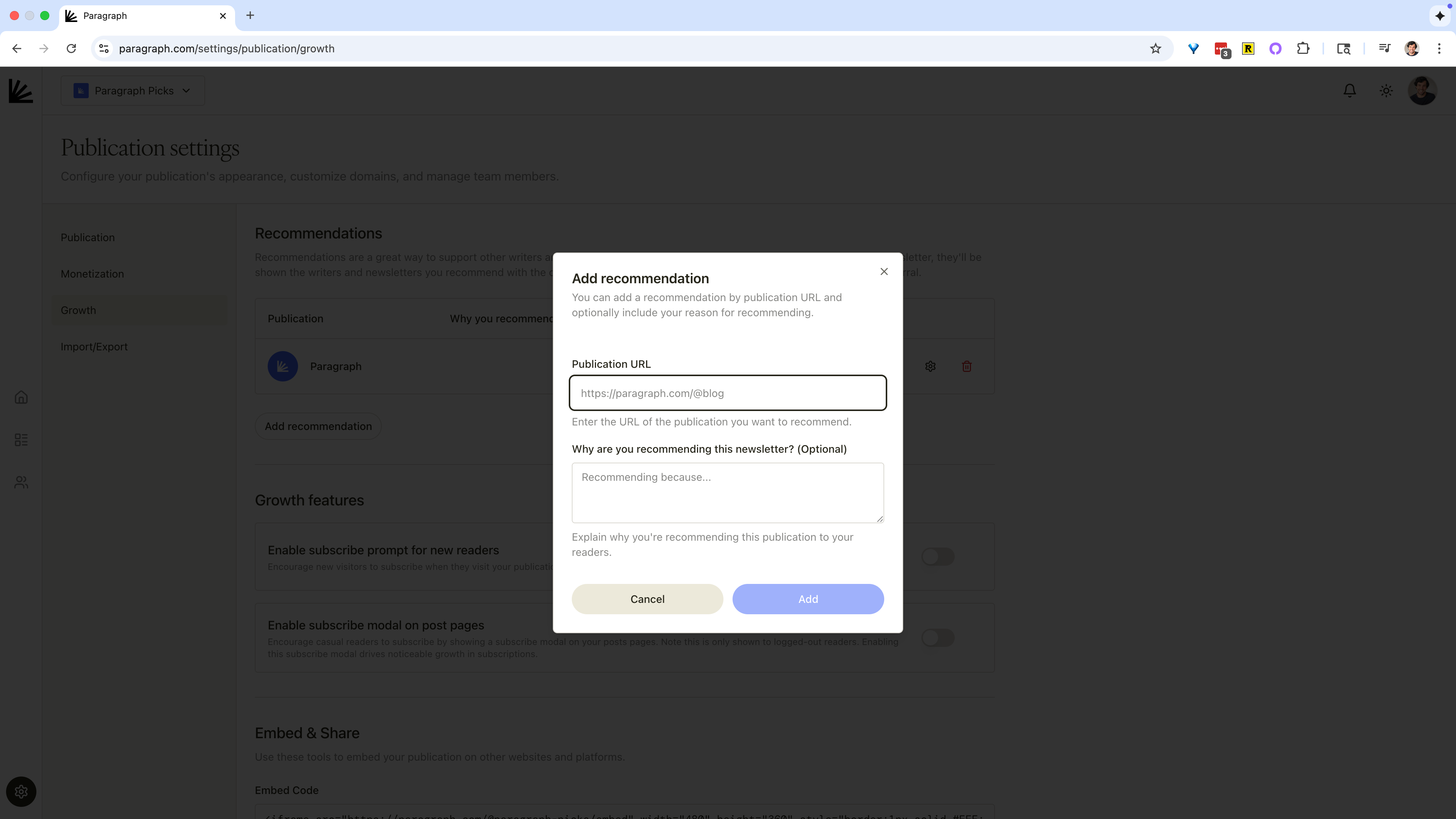 Your recommendations will now appear to readers after they subscribe to your publication.
***
## **Best Practices**
* **Recommend thoughtfully**: choose publications your readers will genuinely value, not just ones that drive growth.
* **Keep it relevant**: to increase conversion, recommend writing that's relevant to your audience.
* **Reciprocate**: build growth loops by coordinating with other writers to recommend each other.
Your recommendations will now appear to readers after they subscribe to your publication.
***
## **Best Practices**
* **Recommend thoughtfully**: choose publications your readers will genuinely value, not just ones that drive growth.
* **Keep it relevant**: to increase conversion, recommend writing that's relevant to your audience.
* **Reciprocate**: build growth loops by coordinating with other writers to recommend each other.