> ## Documentation Index
> Fetch the complete documentation index at: https://paragraph.com/docs/llms.txt
> Use this file to discover all available pages before exploring further.
# Set up your publication
> Writer onboarding & how to create a new publication.
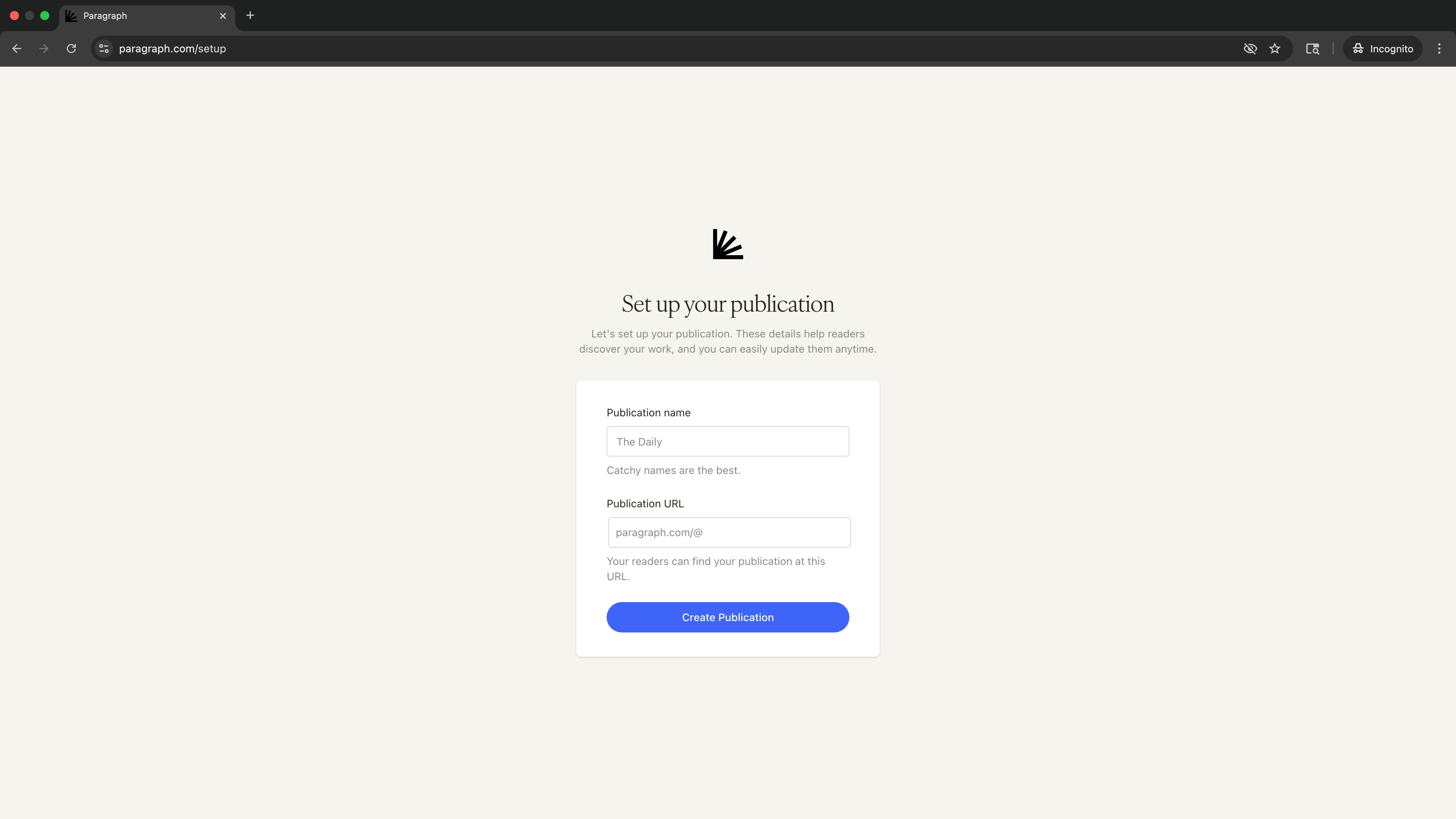
[Creating a publication](https://paragraph.com/setup) takes just a couple of quick steps detailed below.
### **Step 1: Choose a name and URL**
On the setup screen, you’ll be asked for:
* **Publication name** – the name readers will see on your publication homepage, on your posts, and when you share your publication.
* **Publication URL** – your unique Paragraph link (you'll have the opportunity to connect a [custom domain](/publish/custom-domains) in your publication settings).
You can update your publication name and URL at any time in your settings.
 ### **Step 2: Confirmation & onboarding**
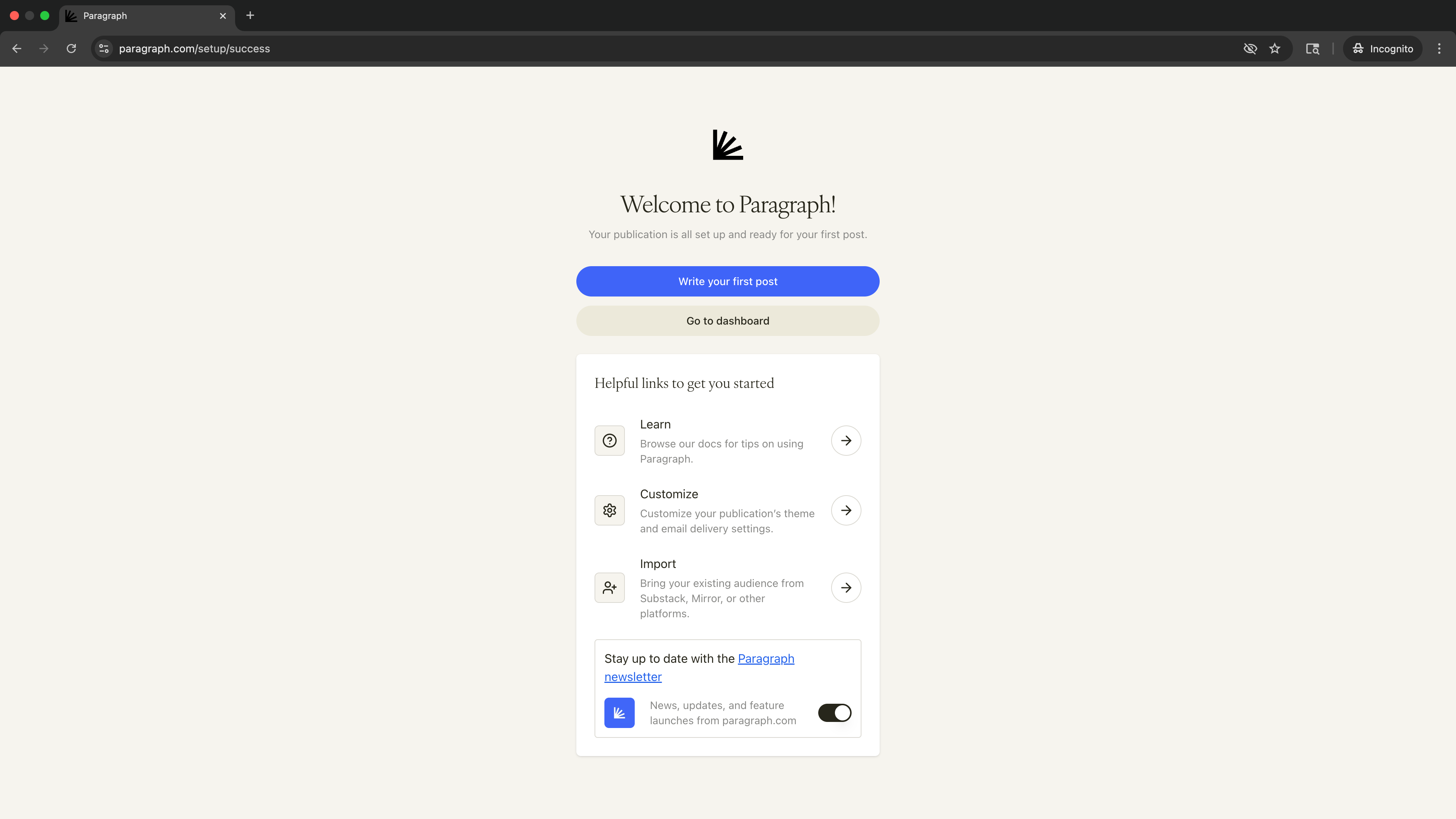
Once you create your publication, you’ll see a confirmation screen with quick links to help you get started:
* **Write your first post** – Jump straight into the editor.
* **Customize** – Adjust your publication’s theme and email delivery settings.
* **Import** – Bring over your posts and subscribers from another platform.
* **Learn** – Browse more docs to get comfortable with Paragraph.
### **Step 2: Confirmation & onboarding**
Once you create your publication, you’ll see a confirmation screen with quick links to help you get started:
* **Write your first post** – Jump straight into the editor.
* **Customize** – Adjust your publication’s theme and email delivery settings.
* **Import** – Bring over your posts and subscribers from another platform.
* **Learn** – Browse more docs to get comfortable with Paragraph.