Contents
-
What is cloud stacking in SEO?
-
How do cloud stacking links work?
-
Which cloud platforms are used?
-
-
Why do cloud pages start with authority?
-
What are the risks of cloud stacking?
-
How long does cloud stacking take to show results?
-
Is cloud stacking worth it for building backlinks?
-
Where to go from here
What is cloud stacking in SEO?
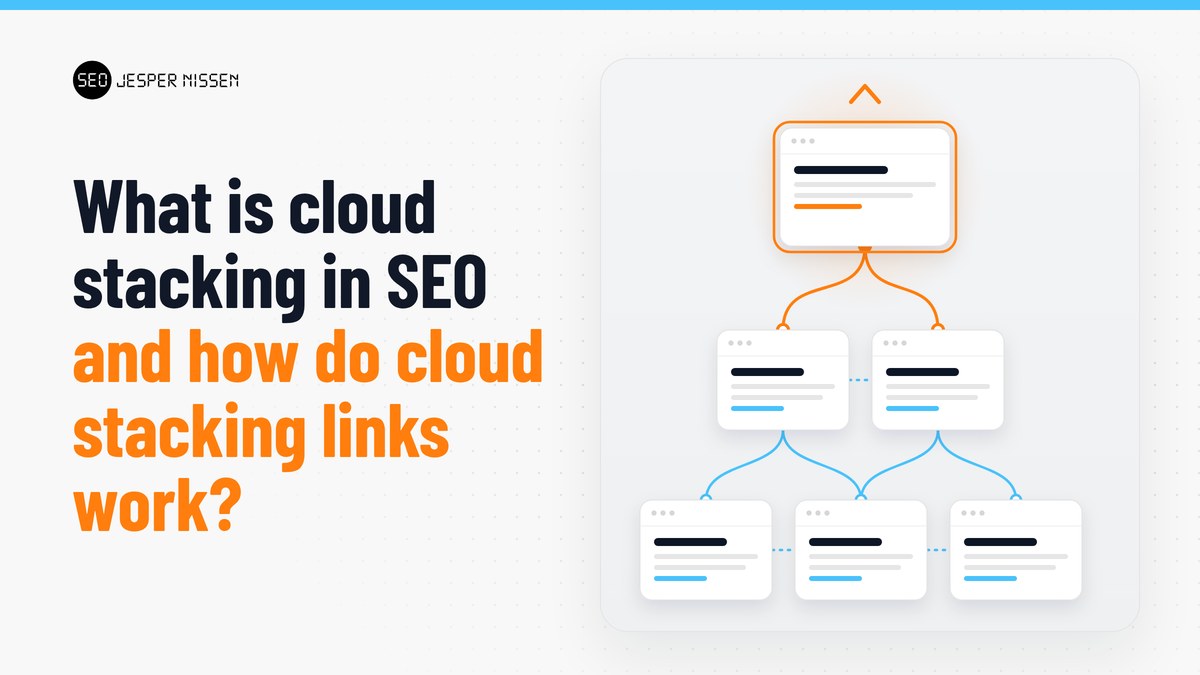
Cloud stacking is the practice of uploading HTML pages to cloud storage services like Amazon S3, Microsoft Azure and Google Cloud, then using those pages to build strong web properties [1]. The pages link to each other and to a target site, so they act as a supporting network of backlinks.
The big three aren't the only options. Pages also go up on subdomains at providers such as Wasabi and Backblaze [5]. Nothing runs on a server. Each page is a file that the storage service delivers to the browser.
How do cloud stacking links work?
You build a set of static pages, upload them to cloud storage buckets, and interlink them so their strength flows toward the page you want to rank. A typical done-for-you setup builds static HTML sites, uploads them to several cloud platforms and interlinks them for a ranking boost [2].
The pages are usually generated with software. YACSS, for example, is web-based software that builds static HTML sites with one click [6]. You pay for and use your own cloud accounts, and the software creates and manages the sites [6].
The size of a stack varies. A small order might be 10 cloud links pointing at one URL [2]. A larger build for local map rankings can run to around 100 interlinked cloud pages [3]. That local version is built for Google Business Profile rankings and doesn't include outgoing links for organic rankings [3].
Which cloud platforms are used?
The big three storage providers all support static website hosting, with a few technical differences worth knowing.
| Platform | What it hosts | Note for SEO use |
|---|---|---|
| Amazon S3 | Static websites with static content [8] | Site lives on a Region-specific website endpoint, which doesn't support HTTPS [9] |
| Google Cloud Storage | HTML, CSS and client-side JavaScript [10] | No server-side scripts like PHP [10] |
| Azure Blob Storage | Static sites with no web server needed [11] | Files go in the $web container to be served from the primary endpoint [11] |
The lack of server-side code is the main limit. These pages can't contain server-side scripts such as PHP [10].
Why do cloud pages start with authority?
A cloud page sits on the provider's domain or subdomain, so it borrows some of that domain's strength. Because the page is on a subdomain, a share of power is inherited from a very strong root domain [5].
That shows up in third-party metrics. One practitioner notes that a new domain starts at a Page Authority of 1, while his example cloud URL started at 45 [1]. Keep the metric in context, though. Moz's Domain Authority is its own score, isn't a Google ranking factor and has no effect on search results [12]. Page Authority is Moz's companion measure for individual pages [12]. A high starting score tells you what Moz's model thinks, not what Google will do.
What are the risks of cloud stacking?
The main risk is that Google treats links built mainly to manipulate rankings as link spam [7]. Its policies name several practices that overlap with careless cloud stacking.
-
Using automated programs or services to create links to your site [7]
-
Creating low-value content mainly to manipulate linking and ranking signals [7]
-
Scaled content abuse, where many pages are generated to manipulate rankings rather than help users [7]
-
Spammy accounts on hosting services anyone can register for [7]
Google also knows the tactic exists. Even practitioners say it's no secret that SEOs use Amazon S3 to build strong pages, and that pages need to look like real webpages to get indexed [1].
There's a hosting risk too. AWS can investigate suspected violations of its Acceptable Use Policy and remove or disable content that breaks it [13]. If a provider pulls your pages, the links go with them.
How long does cloud stacking take to show results?
Sellers report movement within a few weeks. One service says rankings typically start rising after about 14 days, with the full result visible after about 6 weeks [2]. Treat that as the vendor's experience, not a guarantee.
Is cloud stacking worth it for building backlinks?
It can be worth testing if you understand the policy risk and keep the pages useful to a reader. It's a weaker fit if your site can't afford a ranking drop, or if you'd rather keep every link compliant with Google's guidelines without debate.
A few questions help you decide:
-
Is the site a long-term brand asset? If yes, put most of your effort into content and links on properties you control, and treat cloud stacks as a small add-on at most.
-
Is the goal local map rankings? Some stacks are built only for that purpose [3], which keeps outgoing link signals out of the picture.
-
Can you make the pages look real? Thin, mass-produced pages fall squarely under the scaled content and link spam policies [7].
If you'd rather not take on that risk, earning links from real sites in your niche is the safer path, even if it's slower.
Where to go from here
If you want to learn the method yourself, Jesper Nissen's cloud links course covers working with cloud links, advanced schema, on-page SEO and YouTube SEO [4]. It also includes a list of 30 free links he has personally vetted [4]. For a shorter primer, read what cloud stacking SEO is. If you'd prefer it built for you, see the 10 cloud links package or the GBP cloud stack for local rankings.
Sources
-
GBP cloud stack - cloud stack for gbp rank boost - jespernissen.com
-
Cloud links - the ultimate cloud stacking SEO course - Jesper Nissen SEO
-
Linkbuilding for a new website - what links to build and when to build them
-
Pricing - Yacss - AI website generator and cloudstacking software
-
Host a static website | Cloud Storage | Google Cloud Documentation