

In a world where visuals play a pivotal role in online communication, optimizing your website's images is essential. Slow-loading images can frustrate visitors and affect your search engine rankings. That's where online image compression tools come to the rescue. In this comprehensive guide, we'll explore the world of online image compression, why it's important, and how to do it effectively.
Why Image Compression Matters
Compress Images Online isn't just about reducing file size; it's about striking a balance between image quality and load times. Here's why it matters:
Improved Page Load Times
Large, uncompressed images can significantly slow down your website's loading speed. This can lead to a high bounce rate and lower user satisfaction. Compressing images online ensures that your pages load quickly, providing a better user experience.
Bandwidth Savings
If you're on a limited hosting plan, heavy image files can eat up your bandwidth, leading to extra costs. By compressing your images, you can reduce the strain on your hosting resources and save money.
Enhanced SEO Performance
Google considers page speed as a ranking factor. Faster-loading pages can rank higher in search results. Image compression plays a crucial role in improving your website's overall speed, potentially boosting your SEO rankings.
How Online Image Compression Works
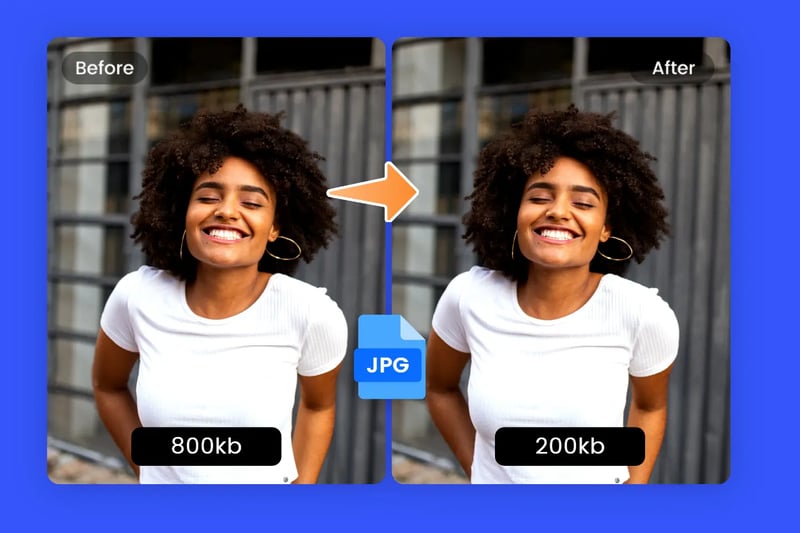
Online image compression tools use various algorithms to reduce the file size of your images. Here's a general overview of the process:
Lossless vs. Lossy Compression
There are two main types of image compression: lossless and lossy. Lossless compression maintains image quality while reducing file size, making it ideal for images where quality is crucial. Lossy compression sacrifices some quality for more significant file size reduction.
Choosing the Right Compression Tool
Numerous online tools and software are available for image compression. We'll walk you through the process of selecting the right tool for your specific needs.
Popular Online Image Compression Tools

Let's explore some popular online image compression tools that can help you optimize your website's images:
TinyPNG
TinyPNG is a user-friendly online tool that supports both PNG and JPEG compression. It offers excellent compression ratios while maintaining image quality.
Compressor.io
Compressor.io is a web-based tool that provides both lossless and lossy compression options. It's perfect for web developers and designers looking for maximum control over image optimization.
ImageOptim
ImageOptim is a versatile tool available for Mac users. It allows you to compress various image formats, including JPEG, PNG, and GIF, with ease.
Tips for Effective Image Compression
To make the most of online image compression, consider these tips:
Resize Images Before Compression
Before compressing, resize your images to the appropriate dimensions for your website. This reduces the file size further without compromising quality.
Regularly Monitor Your Image Sizes
As your website evolves, so will your image needs. Regularly audit and compress your images to ensure optimal performance.
Conclusion
In the digital landscape, image optimization is paramount. Compress images online not only enhances user experience but also contributes to your website's success. With the right tools and techniques, you can strike the perfect balance between image quality and performance. Start compressing your images today and watch your website load faster and rank higher in search results.