

Subscribe
2 CPU
4GB RAM
20-40GB DISK
Ubuntu 20.04+
important:
when your moniker name appears on the Telemetry site, fill out the form
1:
sudo apt update && sudo apt upgrade -y2:
sudo apt install make clang pkg-config libssl-dev build-essential git screen protobuf-compiler -y3: Installs Rust :
curl https://sh.rustup.rs -sSf | shsource $HOME/.cargo/envrustup update nightlyrustup target add wasm32-unknown-unknown --toolchain nightly4: Clone the full node repository:
git clone https://github.com/availproject/avail.gitscreen -S availcd availcargo build --release -p data-avail

mkdir -p output
cargo run --locked --release -- --chain kate -d ./output
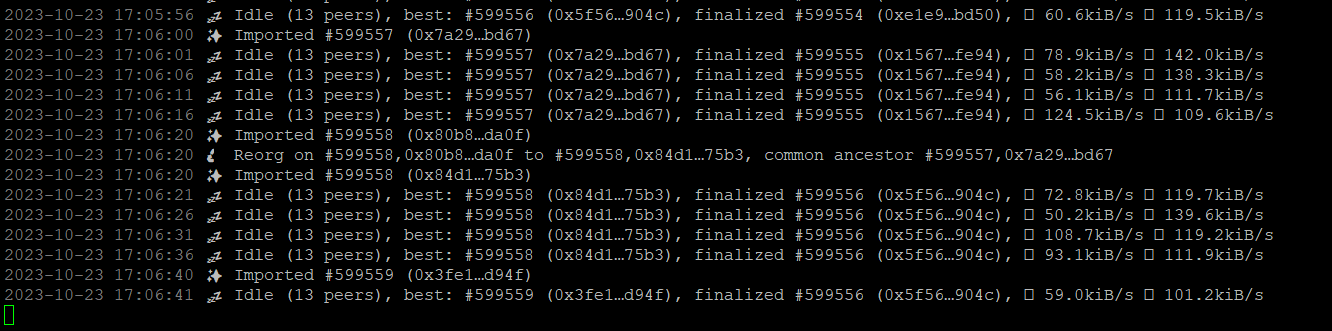
Press ctrl+d to exit from the screen
5: Create .service file
sudo touch /etc/systemd/system/availd.service
6: Edit .service file
sudo nano /etc/systemd/system/availd.service
Copy the code below and past in the terminal & Replace your validator name with miramoniker in the file
[Unit]
Description=Avail Validator
After=network.target
StartLimitIntervalSec=0
[Service]
User=root
ExecStart= /root/avail/target/release/data-avail --base-path `pwd`/data --chain kate --name "miramoniker"
Restart=always
RestartSec=120
[Install]
WantedBy=multi-user.target
Ctrl+x press y to save the file and enter to exit
7: To enable your file:
sudo systemctl enable availd.service
8: Start the node:
sudo systemctl start availd.service
9: Check Status
sudo systemctl status availd.service
10: Check Logs
journalctl -f -u availd
Your node is synced If target = finalized in the logs
Ctrl+C to exit
11:
** check the node status on the avail telemetry**
like in the example:

After Sync is finished, fill the form
Follow me: BARDIA