Mamo is your personal finance companion. Until now, you've talked to Mamo in the Mamo app. Starting today, you can ask Claude, ChatGPT, Grok Bot, Muse and several other AI assistants how much you've earned with Mamo, what changed in your stock portfolio, or what your next deposit would look like.
Mamo MCP is live today. Mamo MCP connects the AI assistant you already use to the same accounts you see in the Mamo app. Your assistant can look up live information, explain what's happening with your money, and prepare transactions for you to review. Nothing moves until you approve the transaction in your own wallet.
MCP stands for Model Context Protocol, an open standard that lets AI assistants connect to outside apps and services. Mamo MCP gives your assistant a way to look up live information from Mamo on Base and prepare transactions for you to review in your wallet.
There's no API key and no Mamo sign-in needed to explore. Mamo MCP works with every Mamo Account: USDC, Bitcoin, Ethereum and MAMO, plus stock portfolios.
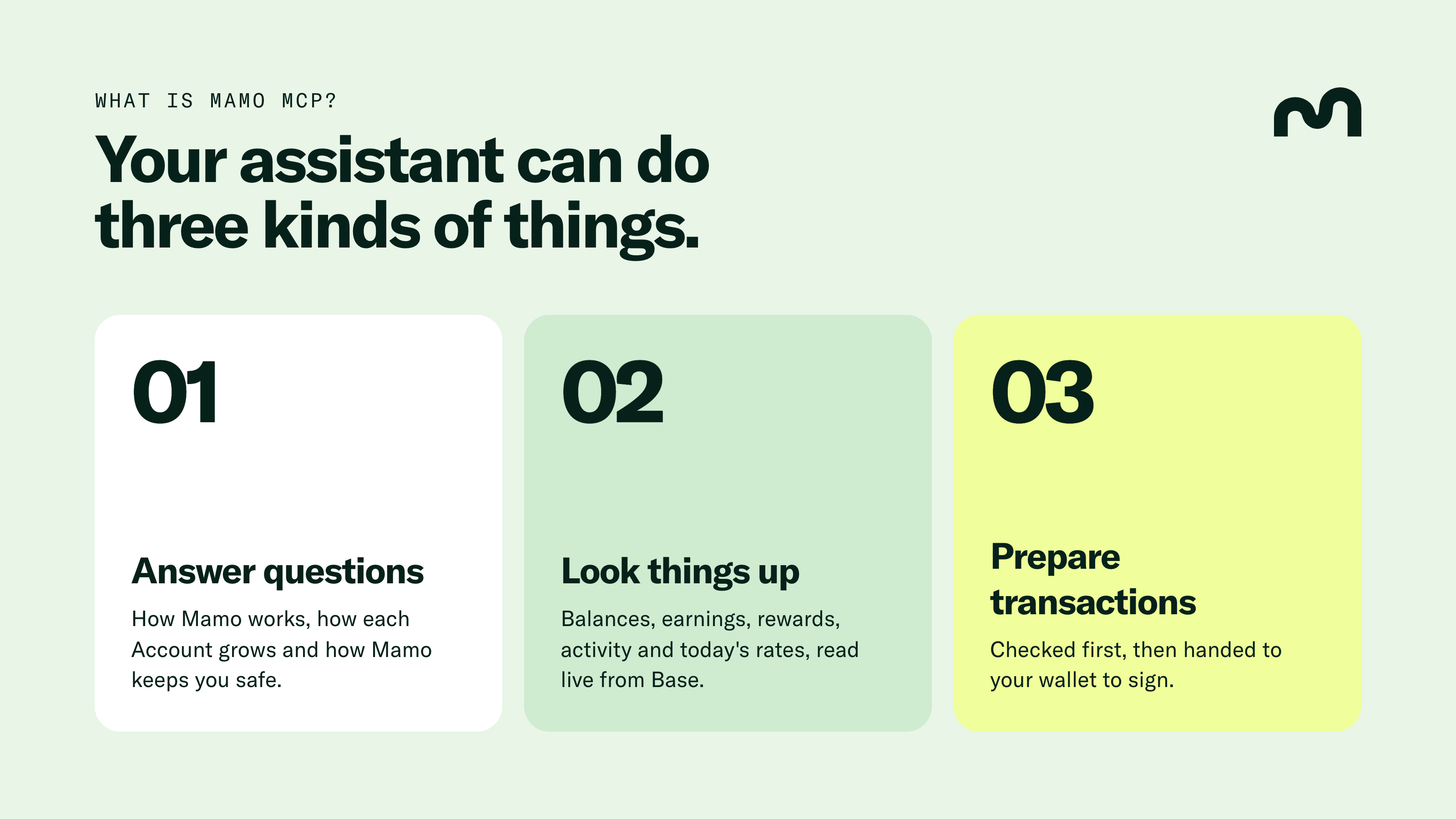
Your assistant can do three kinds of things:
Answer questions. Your assistant can explain how Mamo works, how each account grows your money, and how Mamo keeps you safe.
Look things up. You can ask for your balances, earnings, rewards, recent activity and today's rates, all read live from Base.
Prepare transactions. Your assistant can prepare deposits, withdrawals, reward claims, new accounts and stock portfolios, each one checked first and then handed to your wallet to sign.
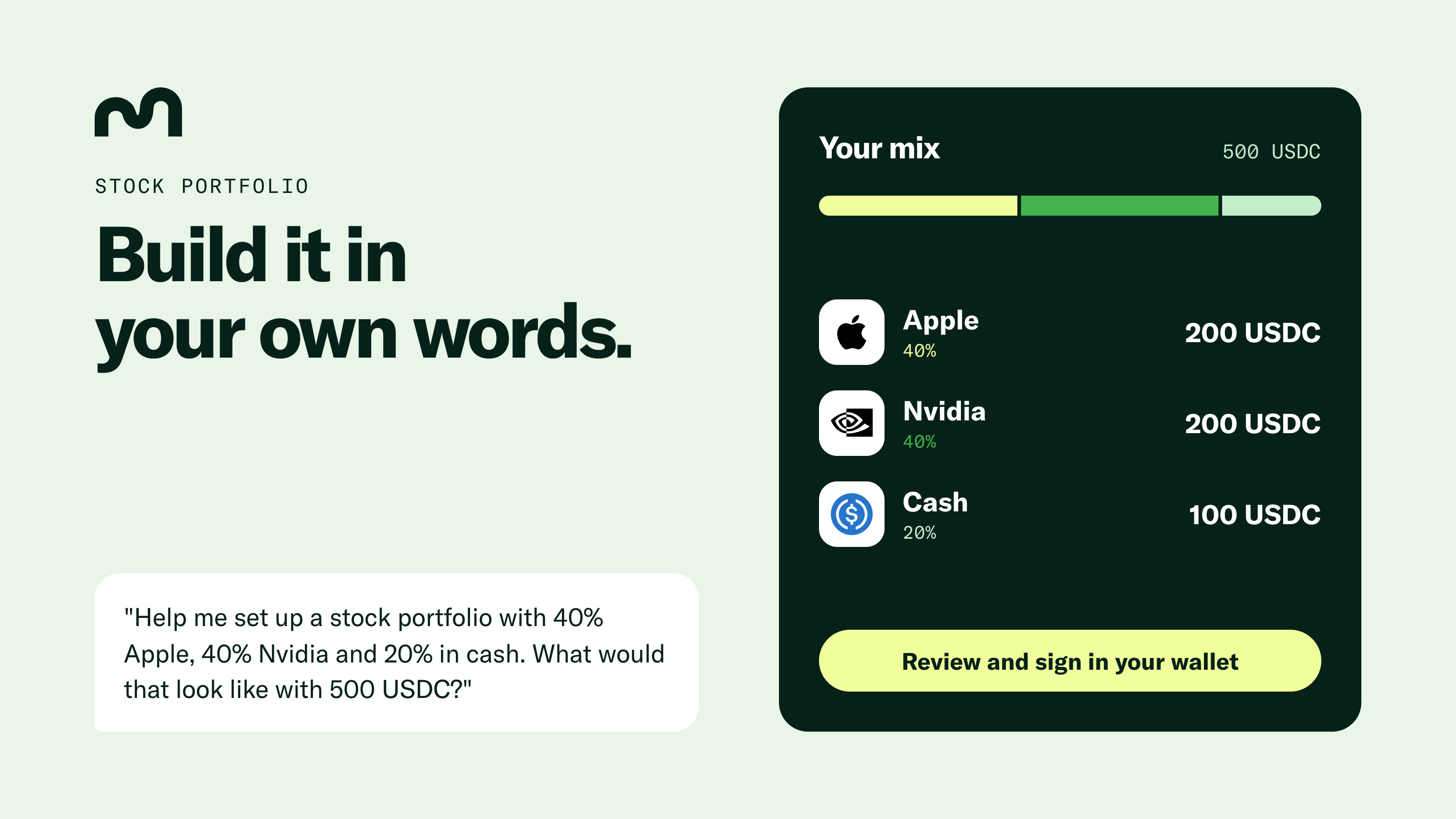
Say you have 500 USDC and want to split the money between Apple, Nvidia and cash. You could ask:
"Help me set up a stock portfolio with 40% Apple, 40% Nvidia and 20% in cash. What would that look like with 500 USDC?"
Your assistant can show you the mix: 200 USDC each in tokenized Apple and Nvidia stock, with 100 USDC kept as cash. If that looks right, ask your assistant to prepare the portfolio and the deposit.
Here's what happens next:
Mamo MCP checks your chosen mix and prepares the transaction that creates your portfolio.
You review and sign that transaction in your wallet.
Mamo MCP previews your 500 USDC deposit, then prepares the deposit for you to sign.
Your deposit stays in USDC until Mamo starts buying the stocks you chose.
As prices move, Mamo rebalances your holdings toward the percentages you chose. Come back to the same chat and ask, "What did Mamo buy or sell in my last rebalance?" Your assistant can pull up the trades and show how your holdings compare with your targets today.
You can change your mix later the same way. Tell your assistant the new percentages, review the change and sign.
You can start a stock portfolio with 100 USDC. The stocks are Coinbase Tokenized Stocks on Base, backed by real shares held by a custodian. Stocks are available in eligible jurisdictions outside the U.S.
Give your assistant your public wallet address and ask, "How much have I earned across my Mamo Accounts?" Your assistant can show every account your wallet holds, with balances, earnings and unclaimed rewards in dollars.
You can follow up on anything that catches your eye. Ask what your stock portfolio is worth today, how your USDC balance changed over the past month, or whether you have MAMO Account rewards ready to claim.
If you decide to add 100 USDC to your USDC Account, your assistant can preview the deposit. Mamo MCP checks your balance and approvals, simulates the deposit on Base and flags any issues. You decide whether to sign and send the transaction from your wallet. Your private keys stay with you.
You ask | What happens |
|---|---|
"What can I do with Mamo?" | Your assistant introduces Mamo, the accounts and what each one does. |
"What's my stock portfolio worth today?" | You see your portfolio’s value, your cash and how each holding compares with your target. |
"Which account pays the most right now?" | Your assistant reports today's rate for the USDC, Bitcoin, Ethereum and MAMO Accounts. |
"What's changed in my account this week?" | You see your recent deposits, withdrawals, compounding and rebalances, newest first. |
"How has my USDC Account grown?" | You get your balance history for up to the past 60 days. |
"Claim my rewards." | Mamo MCP prepares the claim for your MAMO Account, ready to sign. |
"Take everything out of my Ethereum Account." | Mamo MCP prepares a full withdrawal, ready to sign. |
"Did my transaction go through?" | Your assistant confirms the result in plain words. |
"How does Mamo keep my money safe?" | You get plain answers on custody, risks and fees, with links to the Mamo docs. |
Don't have a Mamo Account yet? Your assistant can help you open one. A USDC, Bitcoin, Ethereum or MAMO Account takes a single signature in your wallet. That signature doesn't move any money. Mamo sets up the account and pays the gas, usually within one to two minutes.
Mamo MCP reads, explains and prepares. Your wallet does the signing.
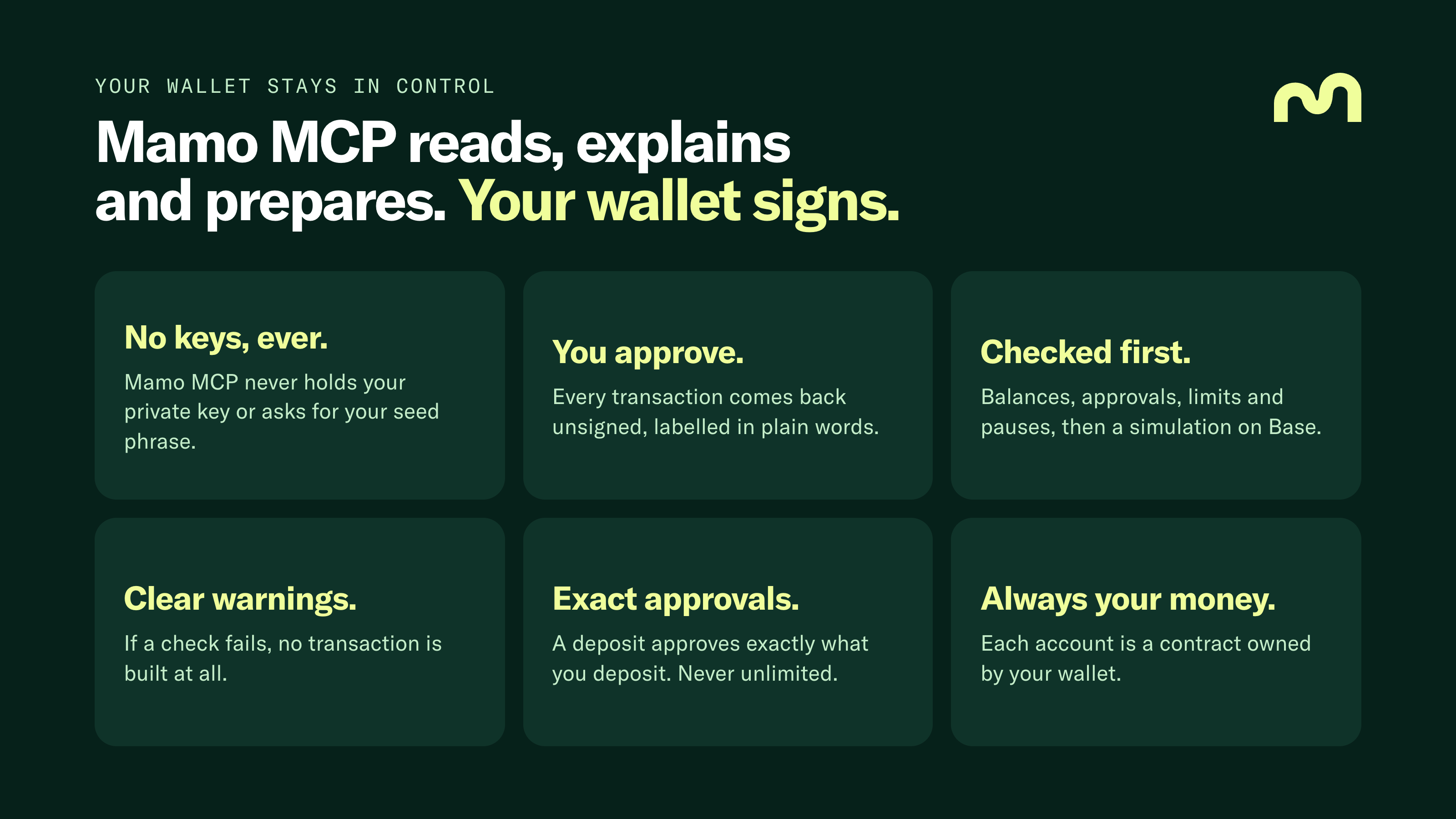
No keys, ever. Your private key is the secret code that controls your wallet. Anyone who has your private key can move your money. How you look after that key depends on your wallet. Some wallets give you a seed phrase, a list of 12 or 24 words that works as a backup of your private key. Others use a passkey, where you unlock your wallet with your face, fingerprint or device PIN and never see a seed phrase at all. Either way, the rule is the same. Whatever unlocks your wallet stays with you. Mamo MCP never holds your private key and will never ask for a seed phrase or passkey. Never share them with an assistant. Your public wallet address, the one you’d give someone to send you money, is all your assistant needs.
You approve. A transaction is an instruction to move money, like a deposit or a withdrawal. A transaction only happens once your wallet signs, which is your wallet’s way of saying “yes, go ahead.” Mamo MCP only ever prepares unsigned transactions. Think of a form that’s been filled in but not signed. Each one is labelled in plain words, so you know what you’re agreeing to. Your wallet shows you the details, and nothing happens until you tap approve.
Checked first. Before preparing anything, Mamo MCP checks that the transaction can go through:
Balances: whether your wallet holds enough to cover the deposit.
Approvals: whether your account has permission to receive the amount you’re depositing. More on these below.
Limits: whether the amount fits the rules, like the 100 USDC minimum for a stock portfolio.
Pauses: whether deposits or withdrawals are temporarily on hold.
Then Mamo MCP runs a simulation on Base. A simulation is a practice run. No money moves, but you find out whether the real transaction would succeed before you sign.
Clear warnings. If Mamo MCP finds something you should know, your assistant explains the warning before you sign. If a check fails, no transaction is built at all, so there’s nothing to sign by mistake. And if a number can’t be read, your assistant is told the number is unknown. You never get a made-up figure.
Exact approvals. Before an app can move a token out of your wallet, you give permission for a set amount. That permission is called an approval. Many apps ask for an unlimited approval, which stays open long after your deposit is done. Mamo only asks for the exact amount you’re depositing. Deposit 100 USDC, and the approval covers 100 USDC.
Always your money. Each Mamo Account is a smart contract, a small program on Base that holds your money and follows fixed rules. Your contract is owned by your wallet, and one of those rules is that only the owner can withdraw. Mamo never takes custody, which means Mamo never holds your money for you.
Before you sign, you can also check where a transaction is going. Ask your assistant which contracts your account uses, then compare them with Mamo’s published contract addresses. To read more, see how Mamo keeps you safe and Mamo’s audits.
Say you already have a stock portfolio and ask your assistant to add 100 USDC.
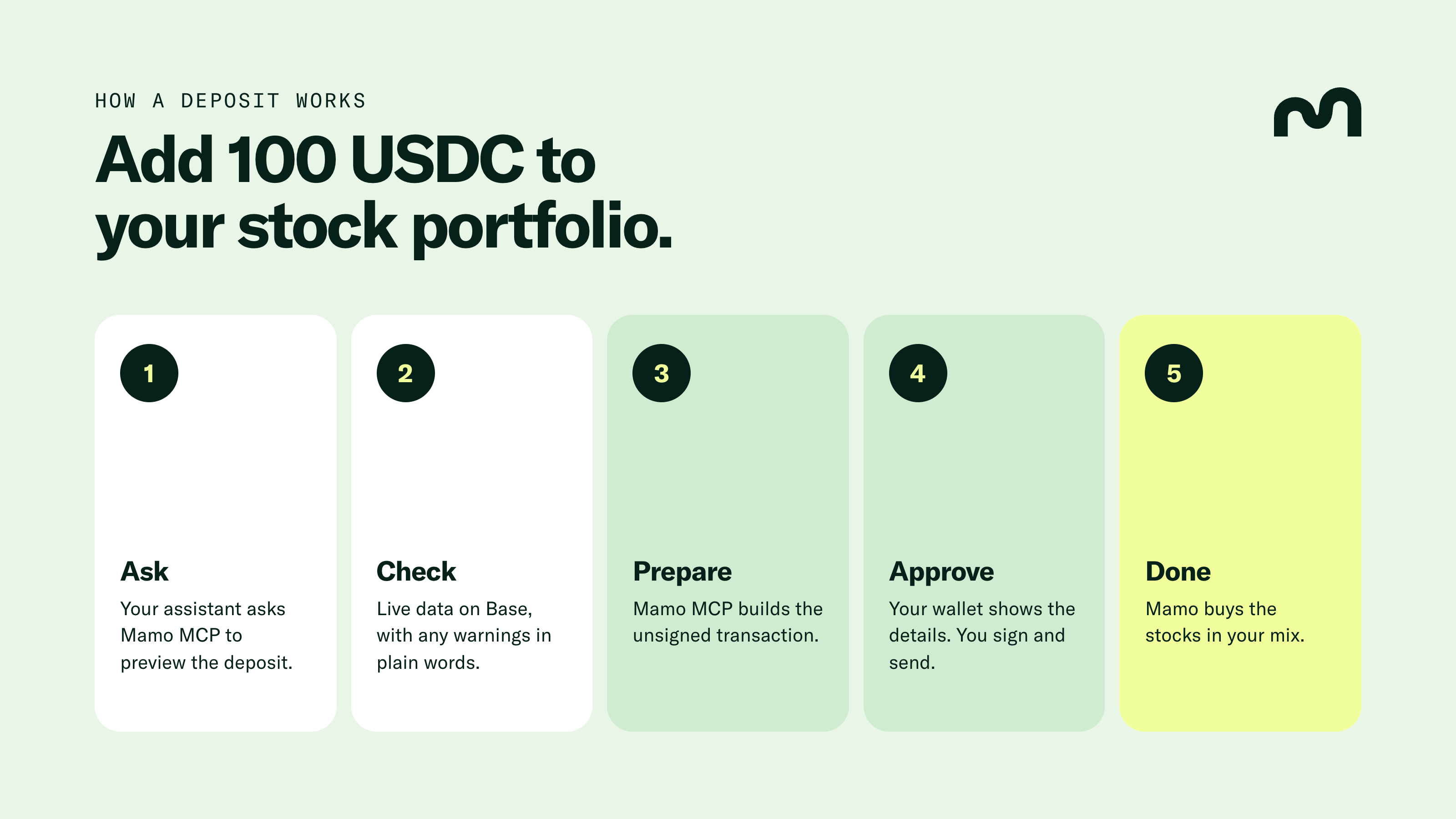
Ask. You tell your assistant what you’d like to do in your own words. Your assistant asks Mamo MCP to preview the deposit. A preview is a check, not a transaction, so nothing moves yet.
Check. Mamo MCP looks at live data on Base. Does your wallet hold 100 USDC? Does the deposit fit your portfolio’s limits? Are deposits open right now? Then Mamo MCP runs a simulation to confirm the deposit would go through. If anything needs your attention, your assistant explains the warning in plain words.
Prepare. If everything checks out, Mamo MCP builds the unsigned transaction and hands the transaction to your wallet. If a check fails, nothing is built.
Approve. Your wallet shows you the details. You may see two steps: an approval for exactly 100 USDC, then the deposit. You sign, and your wallet sends the transaction to Base.
Done. Your 100 USDC lands in your portfolio. Mamo then buys the stocks in your mix, moving your portfolio toward the percentages you chose. Your deposit stays in USDC until those trades go through. Ask your assistant “Did my deposit go through?” at any time to see where things stand.
Act without your approval. Mamo MCP prepares transactions. Your wallet decides.
Swap assets. A swap is trading one asset for another, like turning Bitcoin into USDC. Mamo MCP doesn’t swap. A stock portfolio accepts USDC, so if you’d like to deposit and only hold Bitcoin, you’ll need to swap to USDC first.
Quote stock prices. Your assistant can tell you what your holdings are worth today. Mamo MCP isn’t a source for live stock prices or price history.
Promise returns. Rates show what an account pays today, not what an account will pay tomorrow. Stock portfolios move with stock prices and can go down.
Connecting takes one URL. There’s no API key to create and no Mamo sign-in.
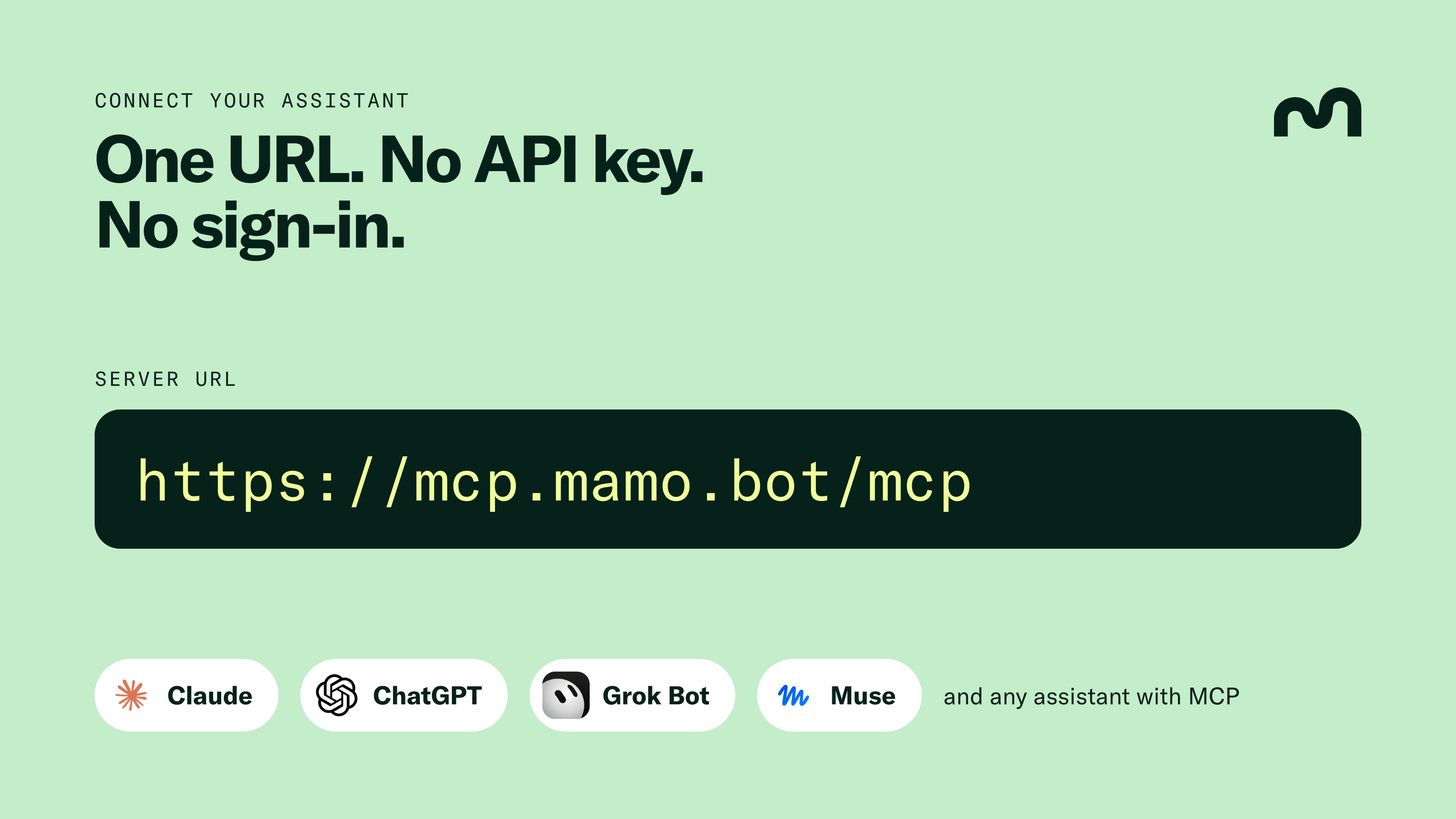
Copy the server URL and paste it into your assistant:
https://mcp.mamo.bot/mcp
A server URL is the address your assistant uses to reach Mamo MCP, the same way a web address takes your browser to a website. Many services also ask for an API key, a kind of password you create so an app can connect on your behalf. Mamo MCP doesn’t need one. You don’t need to sign in to Mamo either. Your assistant can explore Mamo and preview actions straight away, and your wallet only comes in when there’s a transaction to sign.
Most assistants call this kind of link a connector. Here’s where to add one:
Claude: Go to Settings, then Connectors, then Add custom connector. Paste the URL.
ChatGPT: Turn on developer mode in settings, then create a connector with the URL.
Grok Bot: Open Grok connectors, select New Connector, then Custom. Paste the URL.
Muse: Ask Muse in a chat to build a custom integration to Mamo using the URL.
Cursor, VS Code and Claude Code: Use the one-click buttons or commands in the setup guide.
If your assistant asks about authentication, choose None. Menus can change, so if a step looks different, the Mamo MCP setup guide has the latest instructions for each assistant.
For a first question, try “What can I do with Mamo?” Or, if you already have a Mamo Account, start with “What’s changed in my account this week?”
Mamo MCP is open and keyless, so you can add Mamo to your own agent. There are 21 tools: 12 that read, 7 that check and build transactions, and 2 that open accounts. The skill file, llms.txt and server card are all public.
Can my assistant move my money without me?
No. Your assistant can only prepare a transaction. Your wallet has to sign before anything moves.
Do I need an API key or a Mamo sign-in?
No. You can explore Mamo and preview actions without either.
Do I need a Mamo Account to try Mamo MCP?
No. You can ask how Mamo works and compare the accounts first. When you're ready, your assistant can help you open one.
Is sharing my wallet address safe?
Your public wallet address only lets your assistant look things up. Never share your private key or seed phrase. Mamo MCP will never ask for either.
Which assistants work with Mamo MCP?
Claude, ChatGPT, Grok Bot, Muse, Cursor, VS Code, Claude Code and any other assistant that supports MCP. The setup guide has steps for each one.
Can my assistant swap tokens for me?
No. Mamo MCP doesn't swap. If a deposit needs a different asset, you'll need to get that asset first.
Stocks are available in eligible jurisdictions outside the U.S. Stock values can fall, and you may lose money. Rates change and are not a promise of future returns. AI assistants can make mistakes, so review every transaction before you sign. Nothing here is financial advice.