
进入https://replit.com/,如果没有账号,可以注册一个
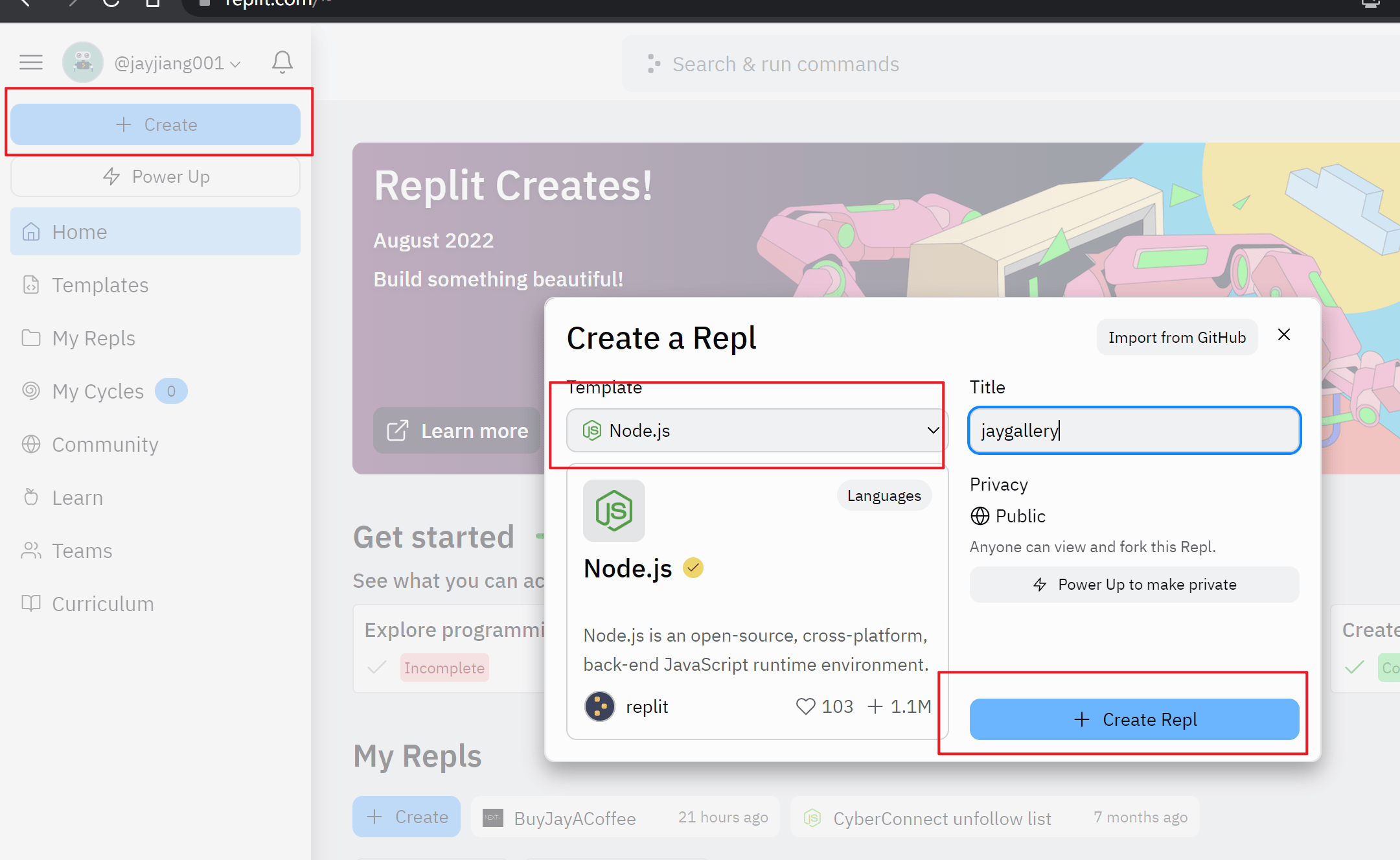
点击创建一个Node.js的项目
创建成功以后在shell里输入如下代码,其中jaygallery为你的项目名字,可以随意
npx create-next-app -e with-tailwindcss jaygallery
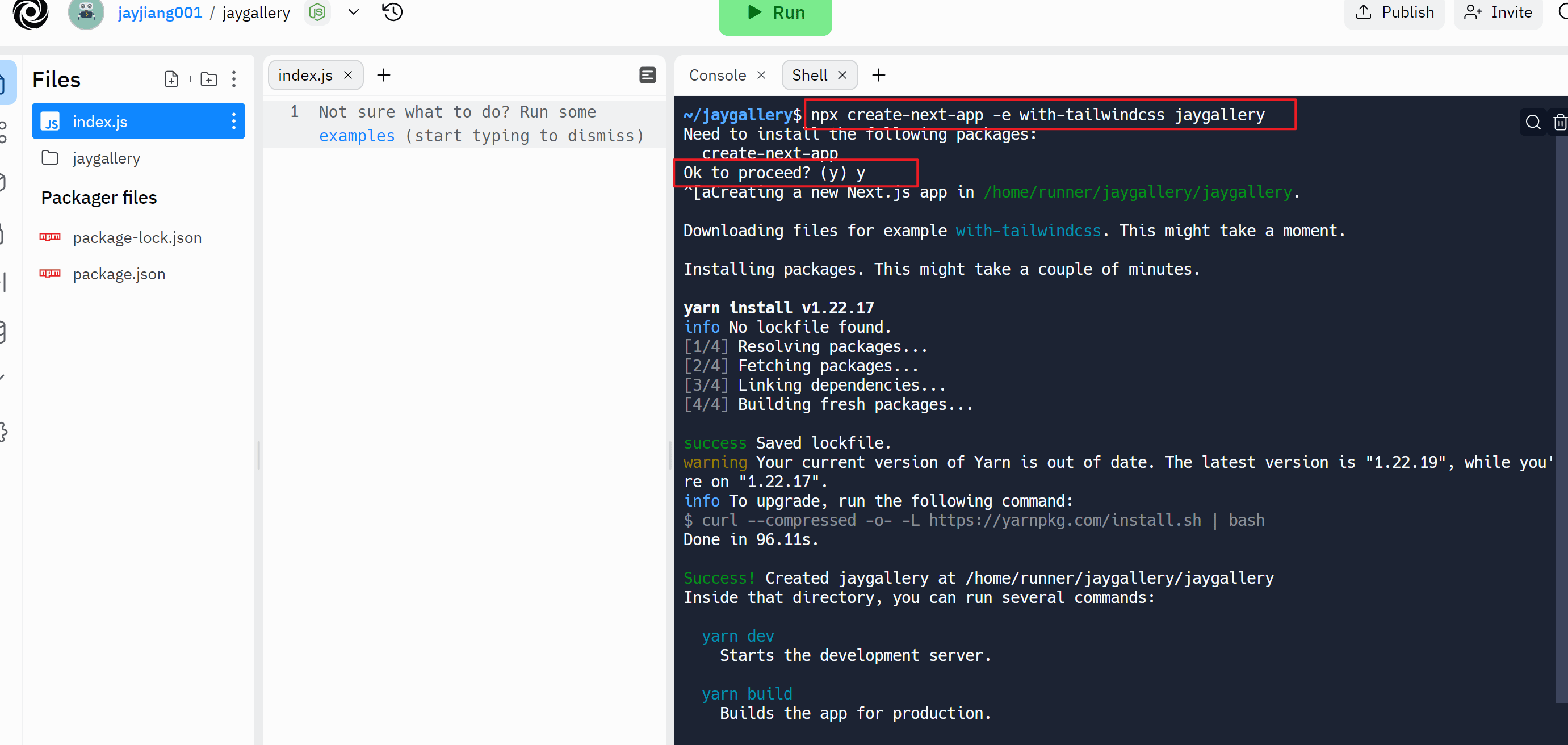
输入成功以后,提示 'Ok to processed',输入y下载项目所需的安装包并创建项目
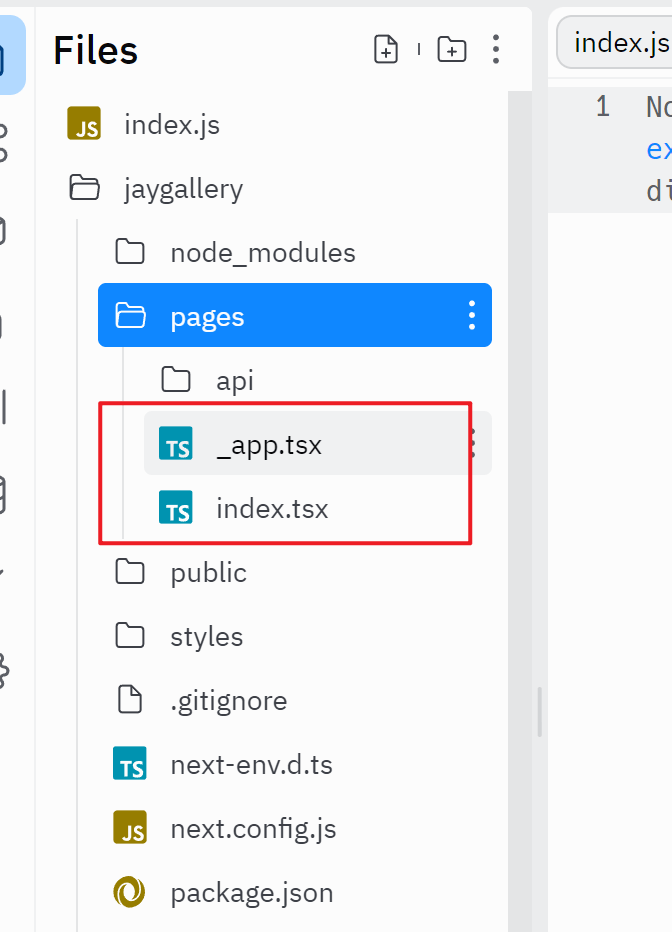
在你创建成功的项目下面,找到pages文件夹下的_app.tsx和index.tsx文件,修改后缀为.jsx
修改_app.jsx文件里的内容为
import '../styles/globals.css'
function MyApp({ Component, pageProps }) {
return <Component {...pageProps} />
}
export default MyApp
修改index.jsx文件里的内容为
import { NFTCard } from "./nftCard"
import { useState } from 'react'
import Head from 'next/head'
import Image from 'next/image'
const Home = () => {
const [wallet, setWalletAddress] = useState("");
const [collection, setCollectionAddress] = useState("");
const [NFTs, setNFTs] = useState([])
const [fetchForCollection, setFetchForCollection]=useState(false)
const fetchNFTs = async() => {
let nfts;
console.log("fetching nfts");
const api_key = "1111"
const baseURL = `https://eth-mainnet.alchemyapi.io/v2/${api_key}/getNFTs/`;
var requestOptions = {
method: 'GET'
};
if (!collection.length) {
const fetchURL = `${baseURL}?owner=${wallet}`;
nfts = await fetch(fetchURL, requestOptions).then(data => data.json())
} else {
console.log("fetching nfts for collection owned by address")
const fetchURL = `${baseURL}?owner=${wallet}&contractAddresses%5B%5D=${collection}`;
nfts= await fetch(fetchURL, requestOptions).then(data => data.json())
}
if (nfts) {
console.log("nfts:", nfts)
setNFTs(nfts.ownedNfts)
}
}
const fetchNFTsForCollection = async () => {
if (collection.length) {
var requestOptions = {
method: 'GET'
};
const api_key = "1111"
const baseURL = `https://eth-mainnet.alchemyapi.io/v2/${api_key}/getNFTsForCollection/`;
const fetchURL = `${baseURL}?contractAddress=${collection}&withMetadata=${"true"}`;
const nfts = await fetch(fetchURL, requestOptions).then(data => data.json())
if (nfts) {
console.log("NFTs in collection:", nfts)
setNFTs(nfts.nfts)
}
}
}
return (
<div className="flex flex-col items-center justify-center py-8 gap-y-3">
<div className="flex flex-col w-full justify-center items-center gap-y-2">
<input disabled={fetchForCollection} onChange={(e)=>{setWalletAddress(e.target.value)}} value={wallet} type={"text"} placeholder="Add your wallet address"></input>
<input type={"text"} onChange={(e)=>{setCollectionAddress(e.target.value)}} value={collection} placeholder="Add the collection address"></input>
<label className="text-gray-600 "><input onChange={(e)=>{setFetchForCollection(e.target.checked)}} type={"checkbox"} className="mr-2"></input>Fetch for collection</label>
<button className={"disabled:bg-slate-500 text-white bg-blue-400 px-4 py-2 mt-3 rounded-sm w-1/5"} onClick={
() => {
if (fetchForCollection) {
fetchNFTsForCollection()
}else fetchNFTs()
}
}>Let's go! </button>
</div>
<div className='flex flex-wrap gap-y-12 mt-4 w-5/6 gap-x-2 justify-center'>
{
NFTs.length && NFTs.map(nft => {
return (
<NFTCard nft={nft}></NFTCard>
)
})
}
</div>
</div>
)
}
export default Home
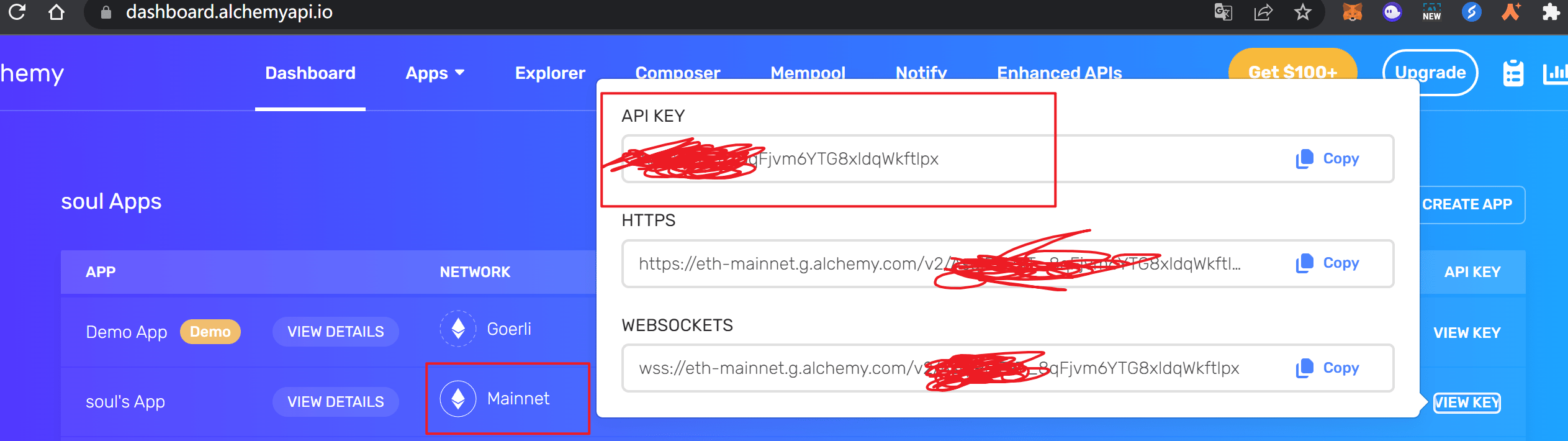
index.jsx里有两个地方有const api_key = "1111",需要把这个api_key的值修改为你的alchemy账号的ETH主网的api key,具体如图所示
在pages文件夹下新增nftCard.jsx文件,内容如下
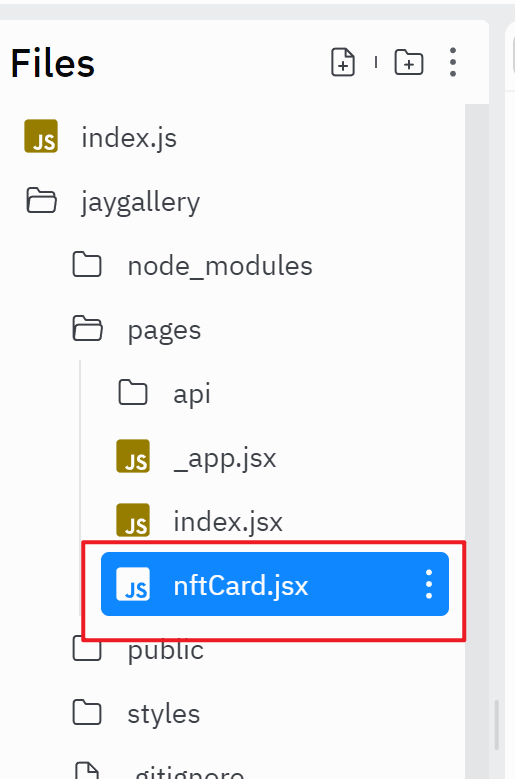
export const NFTCard = ({ nft }) => {
return (
<div className="w-1/4 flex flex-col ">
<div className="rounded-md">
<img className="object-cover h-128 w-full rounded-t-md" src={nft.media[0].gateway} ></img>
</div>
<div className="flex flex-col y-gap-2 px-2 py-3 bg-slate-100 rounded-b-md h-110 ">
<div className="">
<h2 className="text-xl text-gray-800">{nft.title}</h2>
<p className="text-gray-600">Id: {nft.id.tokenId}</p>
<p className="text-gray-600" >{nft.contract.address}</p>
</div>
<div className="flex-grow mt-2">
<p className="text-gray-600">{nft.description}</p>
</div>
</div>
</div>
)
}
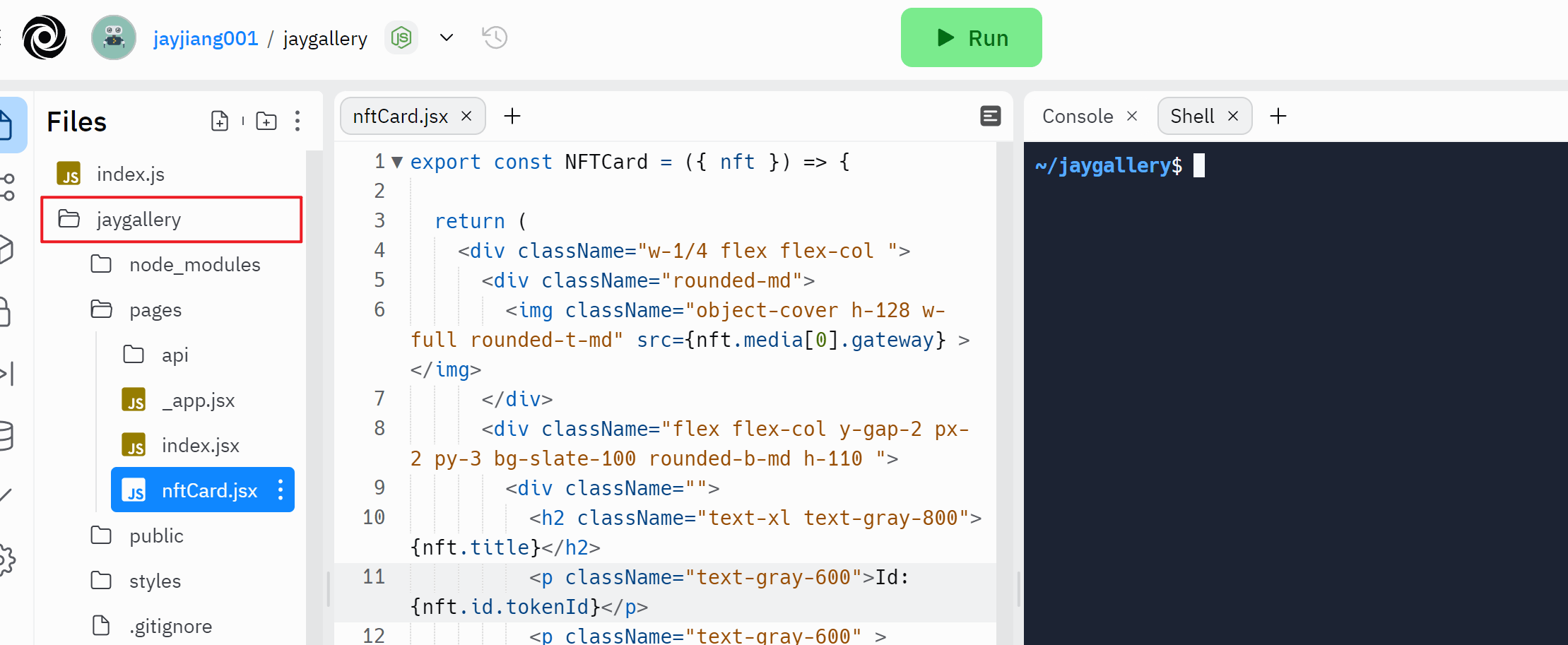
因为我们的项目是在一个子文件夹下面的,所以我们需要修改启动首先显示隐藏文件
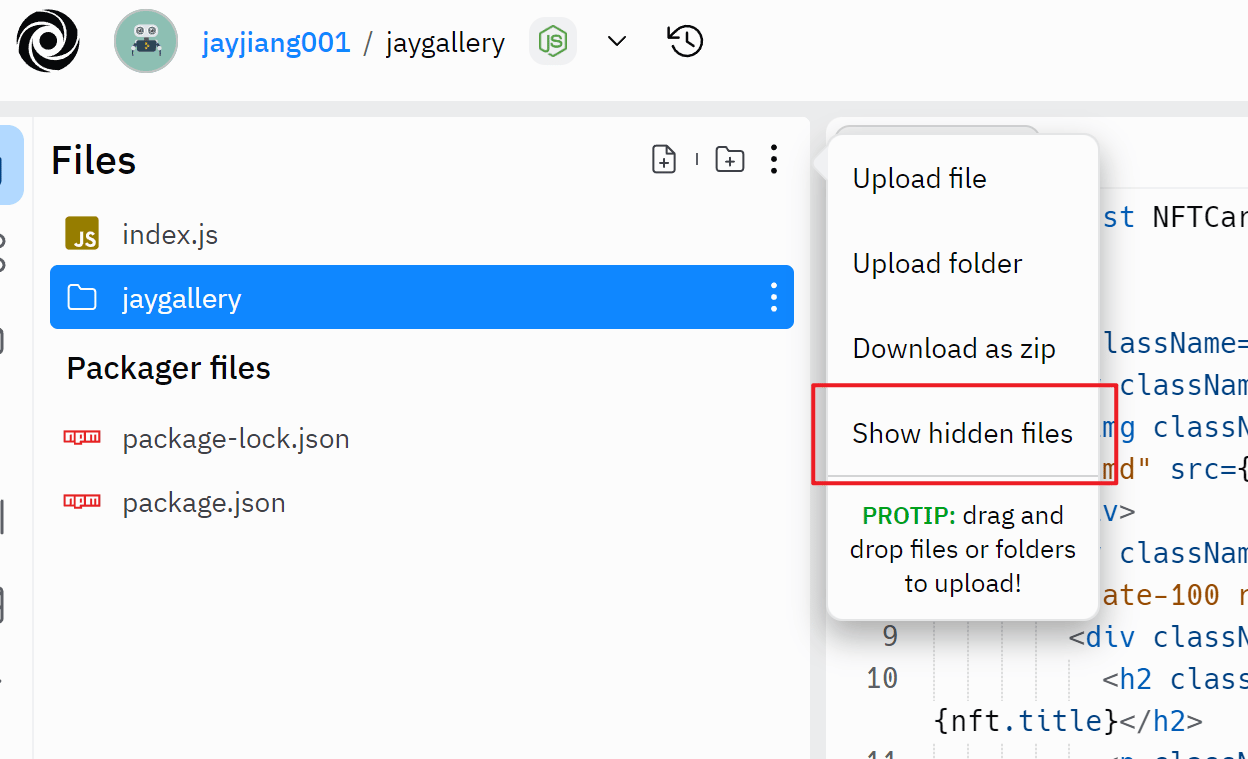
首先显示隐藏文件
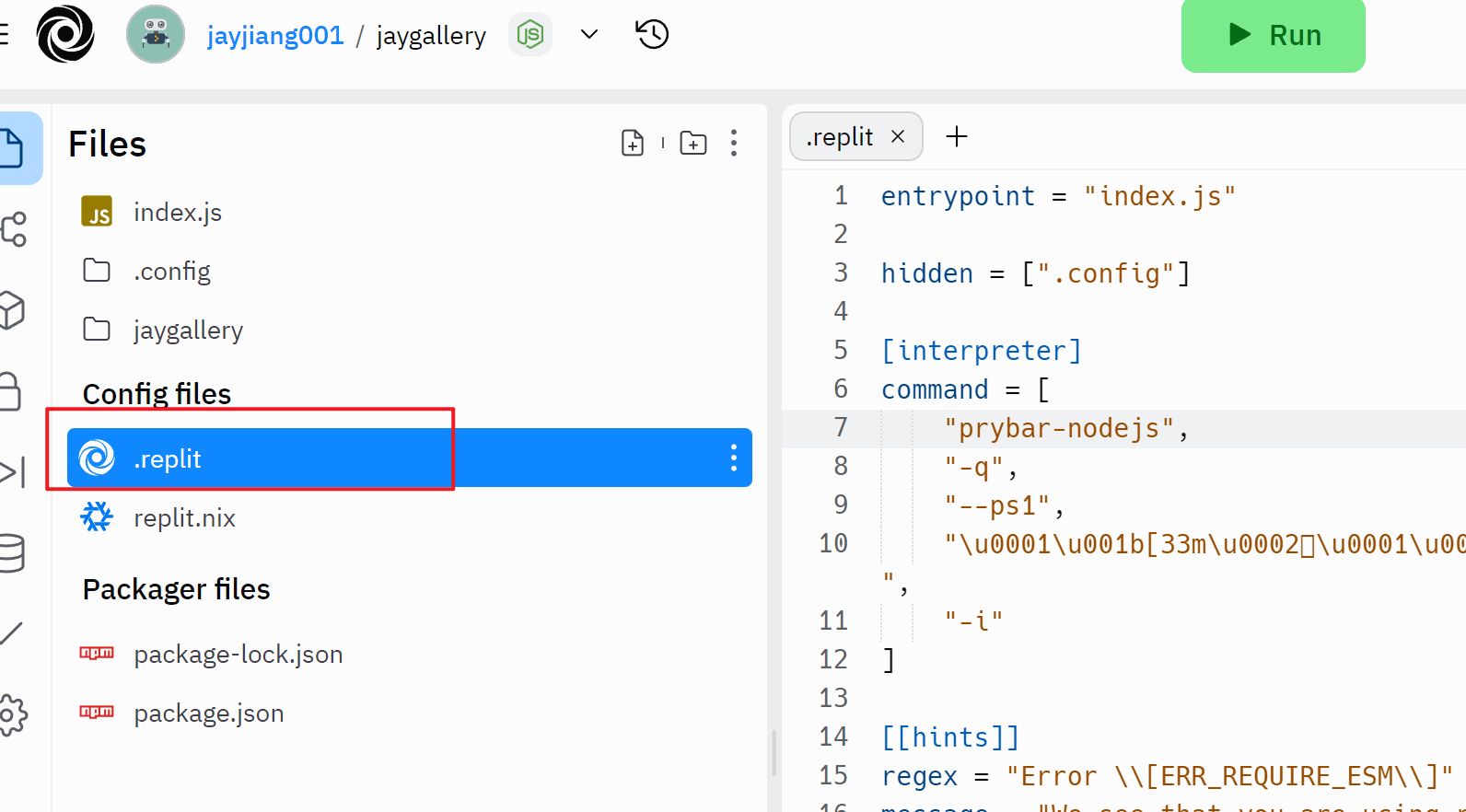
然后我们打开.replit文件,删除原有内容,然后添加下面的两行内容,其中jaygallery为你创建项目的名称
run = 'npm --prefix ./jaygallery run dev'
entrypoint = './jaygallery/pages/index.jsx'
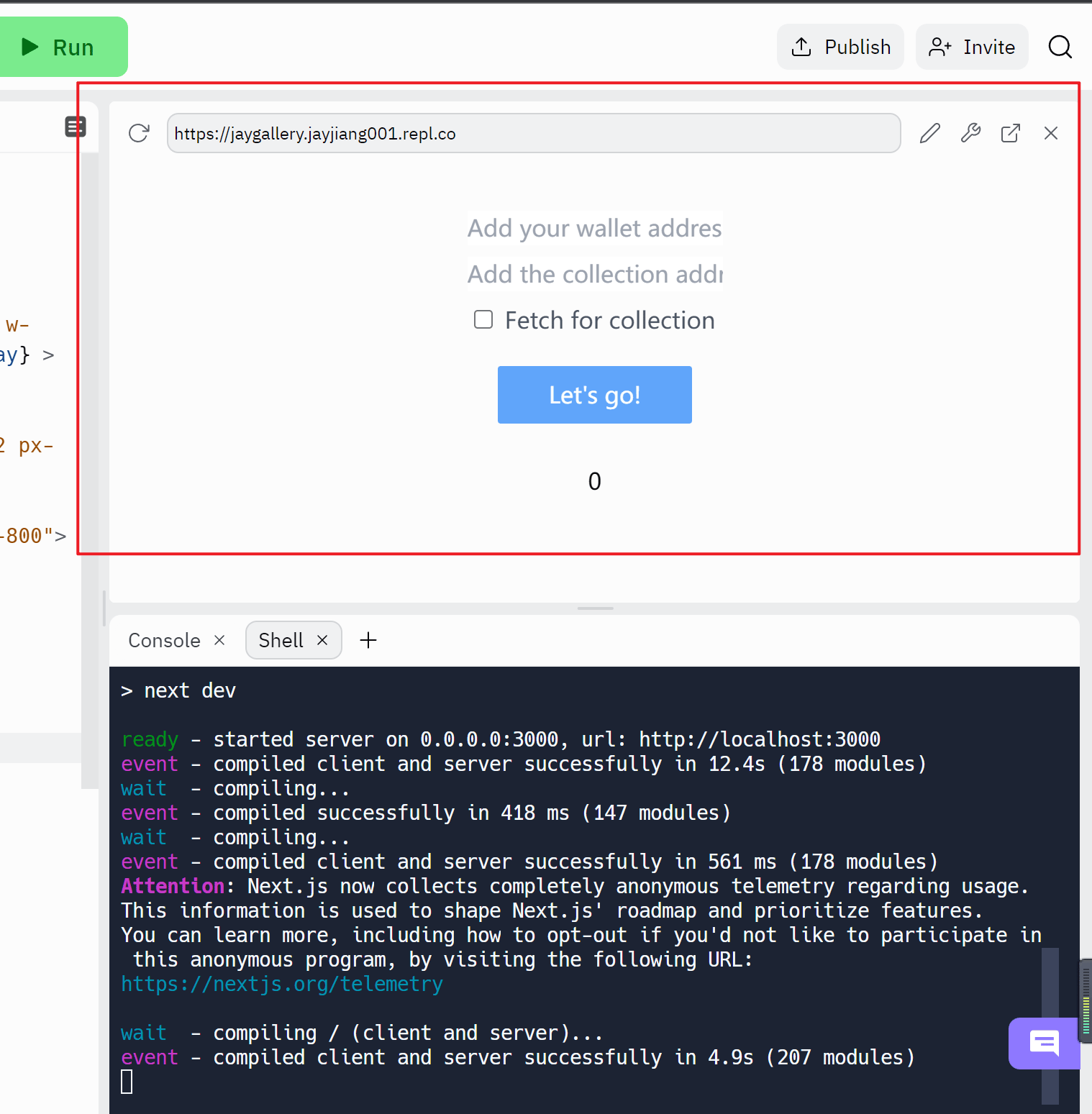
然后我们点击“Run” 按钮,最终出现如上界面就是项目编译成功
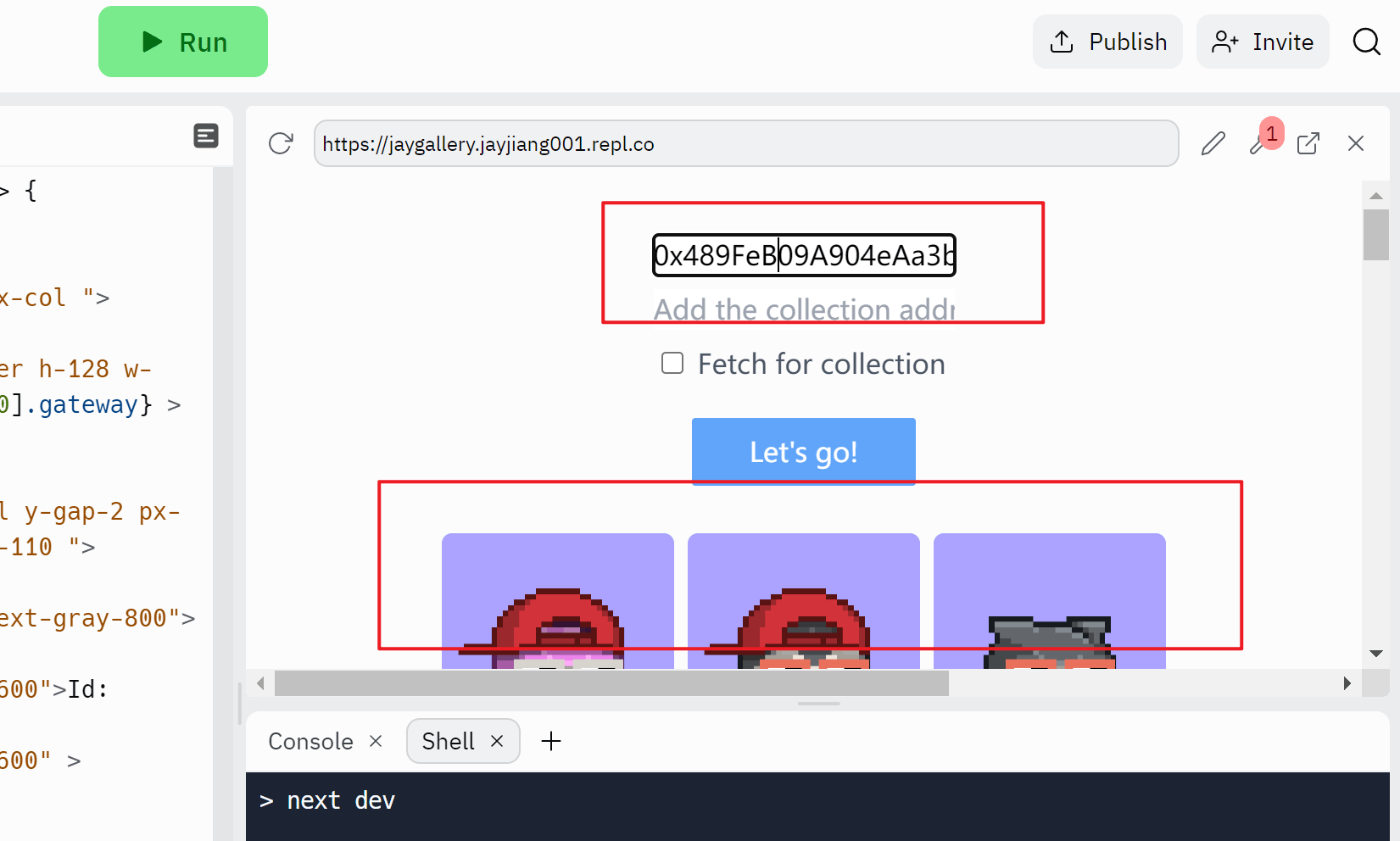
然后你可以输入你的自己的以太坊地址或者ens域名来看一下效果
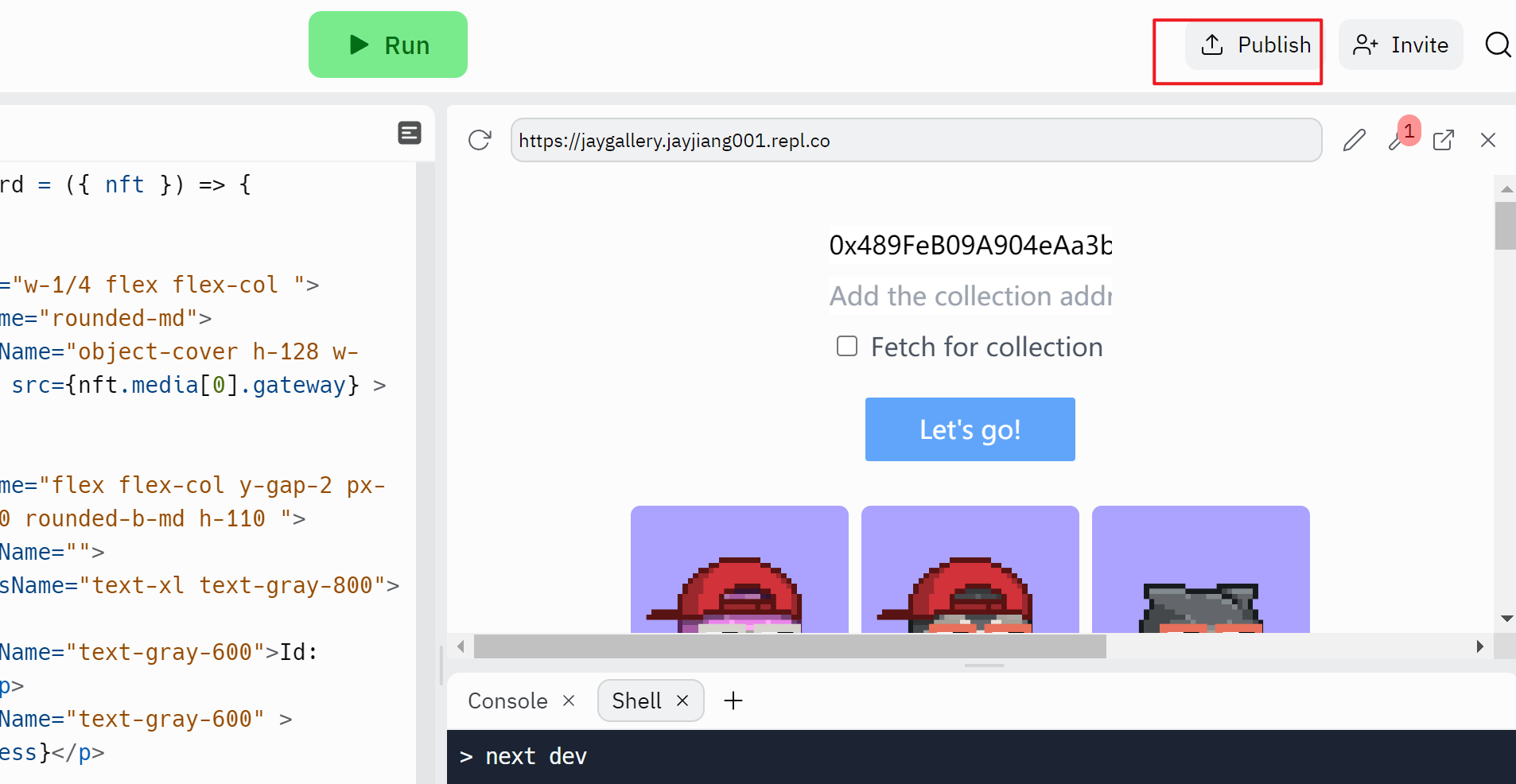
然后你可以点击publish来把项目发布出去
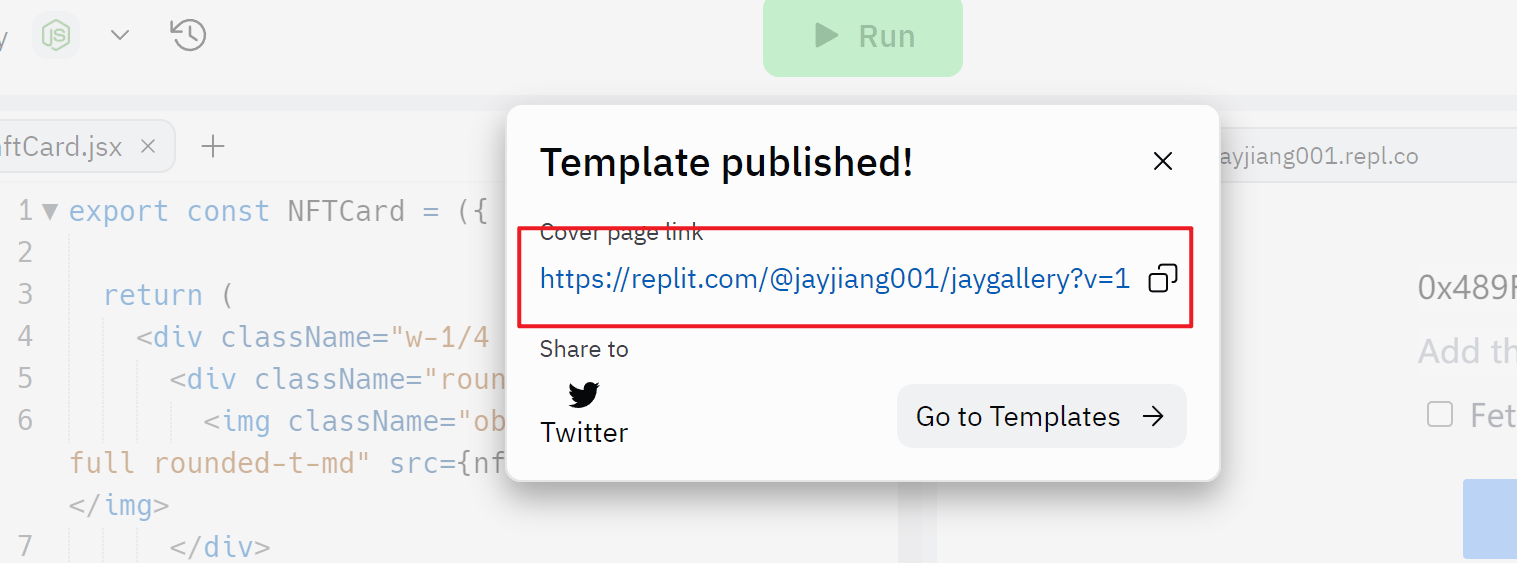
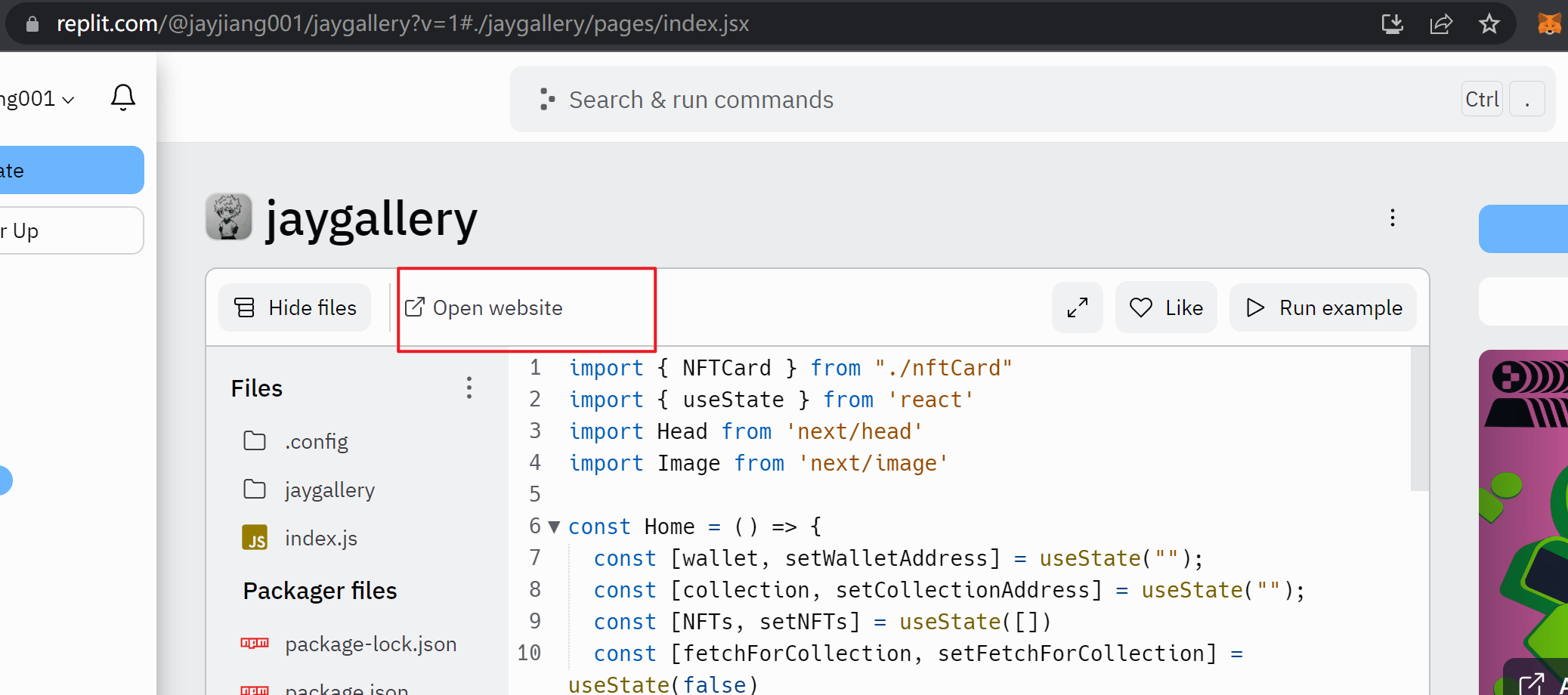
点击链接,然后Open website,里面的链接就可以在填表的最后一步填写,最后填表地址如下
https://docs.google.com/forms/d/e/1FAIpQLSdNNLXMYZmIhjcWoT-UedS3AoGpRiPDRaNARUPGXLbX1TVvSg/viewform
项目的UI会有点小问题,没时间仔细研究。
另外NFT领取地址待更新