


You just installed Cairo, ran your first hello world program and installed Braavos wallet, but find your Braavos Wallet doesn't connect to the Starknet Sepolia Testnet out of the box.
No worries, this post can quickly route it through a custom Alchemy Starknet Sepolia Testnet RPC node so you can get back on your journey.
Table of Contents
-
Get Sepolia Testnet RPC Node on Alchemy
-
Add Starknet Sepolia RPC Node URL to Braavos
-
Switch to Starknet Sepolia Testnet on Braavos
Get Sepolia Testnet RPC Node on Alchemy
Go to https://www.alchemy.com and sign up for an account if you don't have one already. There is a free tier for those just getting started.
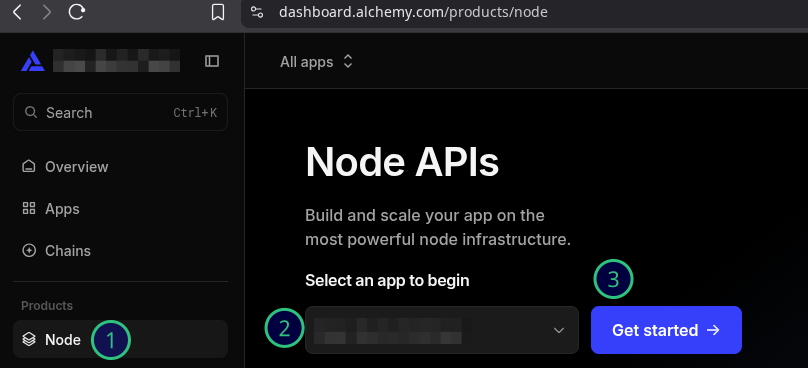
Log in then click on Node > Select your app name > Get started.
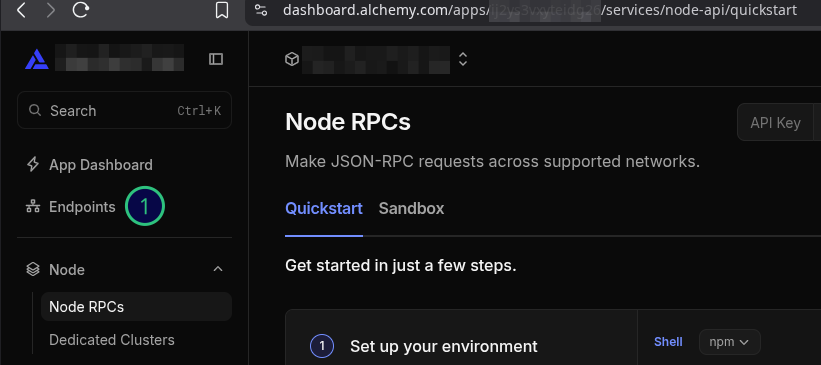
Click on Endpoints.
-
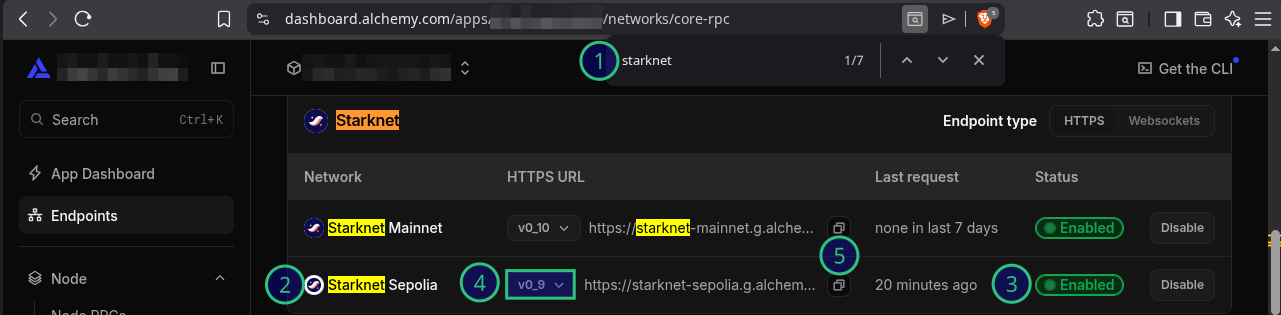
Do a text search on your browser for "Starknet".
-
Find "Starknet Sepolia".
-
Enable it if not already.
-
Select the highest compatible version of the Starknet Sepolia RPC node that works with Braavos (which was v0_9 at the time of writing).
-
Copy the Starknet Sepolia RPC node URL.
Add Starknet Sepolia RPC Node URL to Braavos
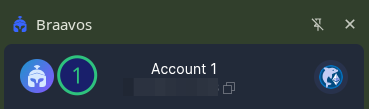
Log into your Braavos wallet and click on the top left Braavos icon.
Click on Wallet Settings.
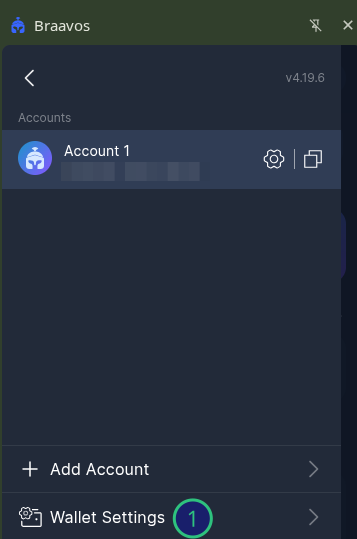
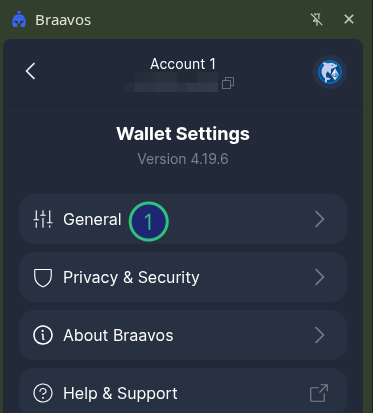
Click on General.
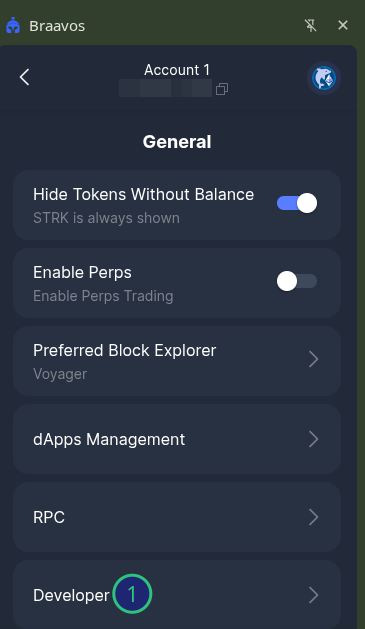
Click on Developer.
Under Starknet Sepolia click on Node URL.
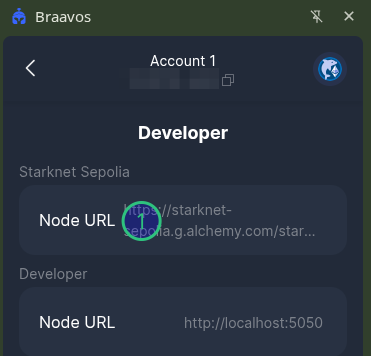
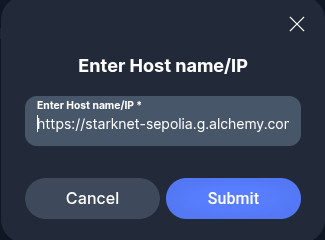
Paste in the Starknet Sepolia node URL that you copied from Alchemy. Click Submit.
Switch to Starknet Sepolia Testnet on Braavos
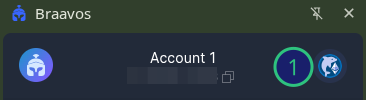
In Braavos, click on the top right icon.
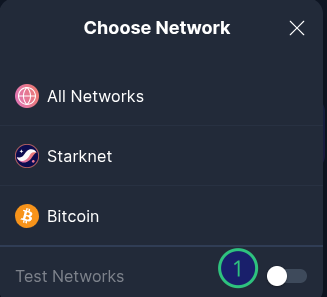
Enable the Test Networks toggle.
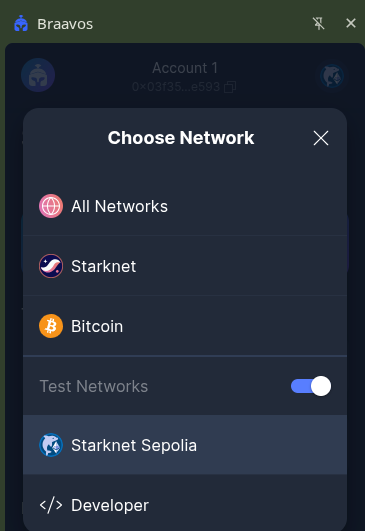
Click on Starknet Sepolia.
Once connected, try requesting testnet tokens from the Starknet Sepolia faucet to verify your setup. If you found this guide helpful, subscribe for more Web3 and Starknet tutorials!